
Correct a finalised booking
Correct a finalised booking
Section titled “Correct a finalised booking”Finalisation is deliberately one-way for the ledger: once a charge is posted, the original transactions stay there. Corrections are made by posting new transactions, never by deleting old ones. A mistake found after a booking is finalised no longer means doing the arithmetic by hand. The Correct this booking action fixes the captured readings, shows you the recomputed difference, and posts a single adjustment for it. It keeps the regulatory record straight at the same time by recomputing the asset’s meter and maintenance “next due”. A maintenance booking is the exception: there is no charge to adjust, so the correction still fixes the readings and the technical record but posts nothing, and the recomputed difference it shows you is always zero.
The most common reasons to reach for this recipe:
- A flight was auto-finalised eagerly because its log was internally consistent at the time, and a later flight reveals the originally-recorded end reading was off by a small amount. (Eager finalisation accepts this trade-off in exchange for same-day pay-as-you-go billing; see auto-finalisation.)
- The most-recent flight on an asset was finalised (by auto or bulk finalisation) with nothing yet flown after it, and the next pilot’s start reading, when they eventually flew and logged, turned out to disagree with the recorded end reading.
- A continuity-conflict notification fired some time ago, the booking was finalised manually with the values that looked right at the time, and subsequent flights have since clarified what the truth actually was.
Catch it before finalising where you can. If the booking is still confirmed, fix the reading at source instead: use Correct inputs on the finalise card and the recomputed charge is billed directly, with no adjustment needed. This recipe is for the case where the booking is already finalised.
Before you start
Section titled “Before you start”- You must be an admin (treasurer counts as admin). This is an admin-only action: the member who flew cannot self-correct a finalised booking; they raise it with an admin.
- You’ll need to know what the corrected value should be, usually after talking to the member or by reading the next flight’s start reading.
- Have the booking’s detail screen open. The member will be visible at the top.
Correct this booking
Section titled “Correct this booking”- From the booking’s detail screen, scroll to the bottom and tap Correct this booking.
- Choose which flight to correct. A booking can hold more than one flight (leg); pick the one with the wrong reading. A booking with a single flight skips this step.
- Fix the wrong values. Correct whatever was captured wrong: the meter start/end reading, the block or airborne times, the number of landings or touch-and-gos, or the arrival airfield.
- Review the recalculated charge. As you edit, Syndik8 recomputes the whole booking (every leg plus the booking-level minimum, which one leg’s change can move) and shows you the difference against what the flying is currently charged at. No mental arithmetic. A reading it can’t read as a number is refused rather than priced: you’ll be told to fix it, and no figure is offered until you have.
- Optionally waive the minimum-usage shortfall, or add a manual credit/charge with a description, exactly as the finalise card allows.
- Enter a reason for the correction. This is mandatory and is kept in the audit trail.
- Tap Post correction.
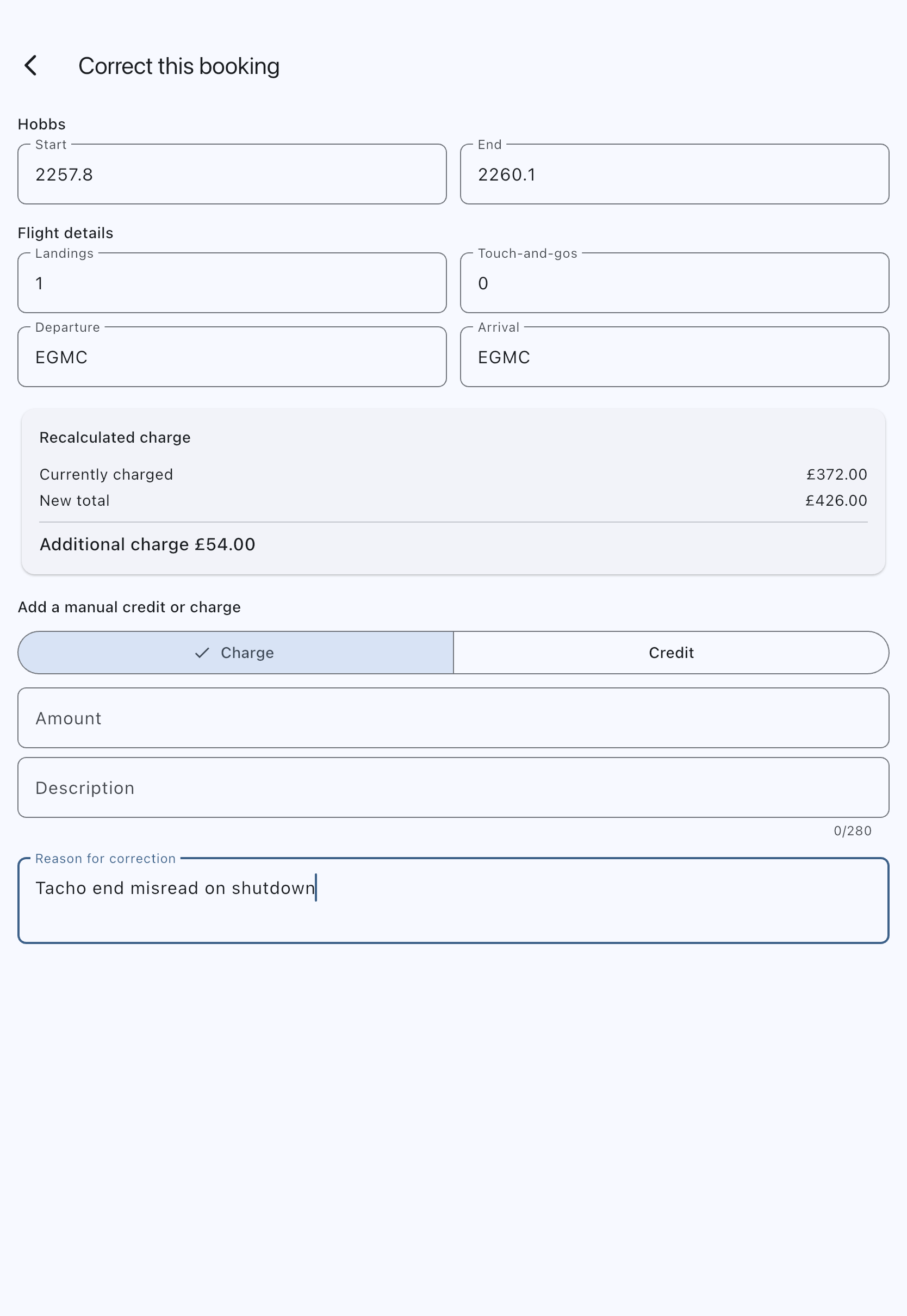
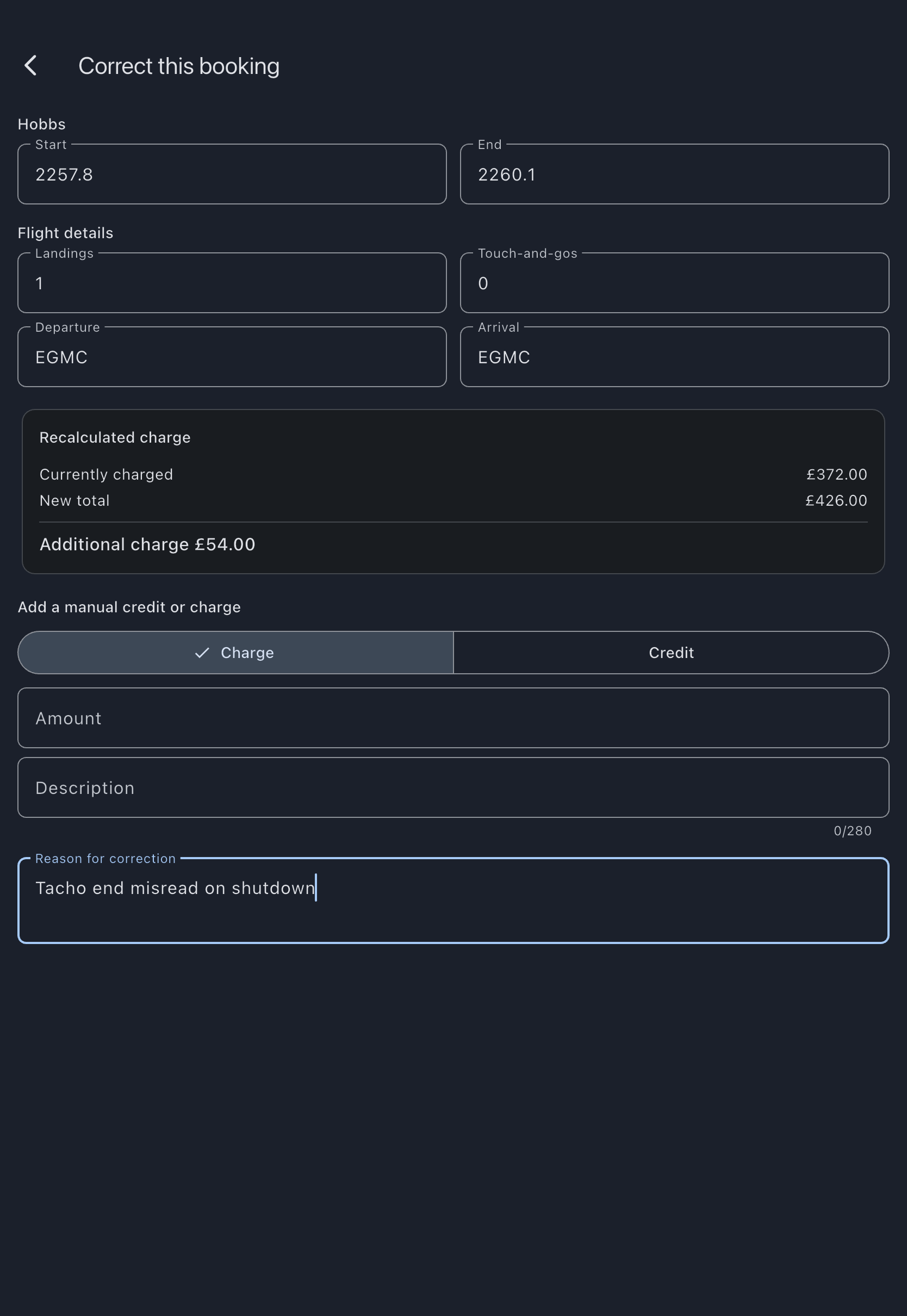
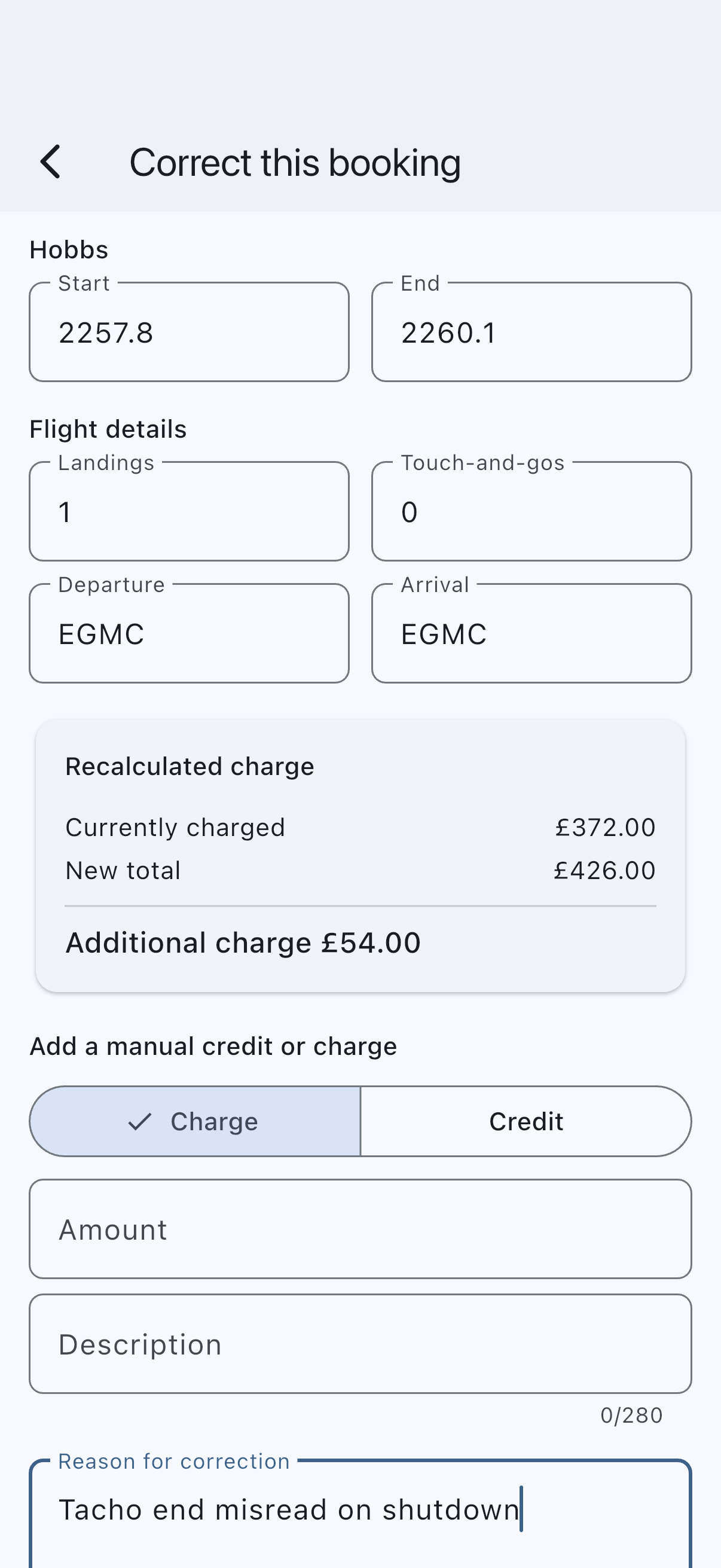
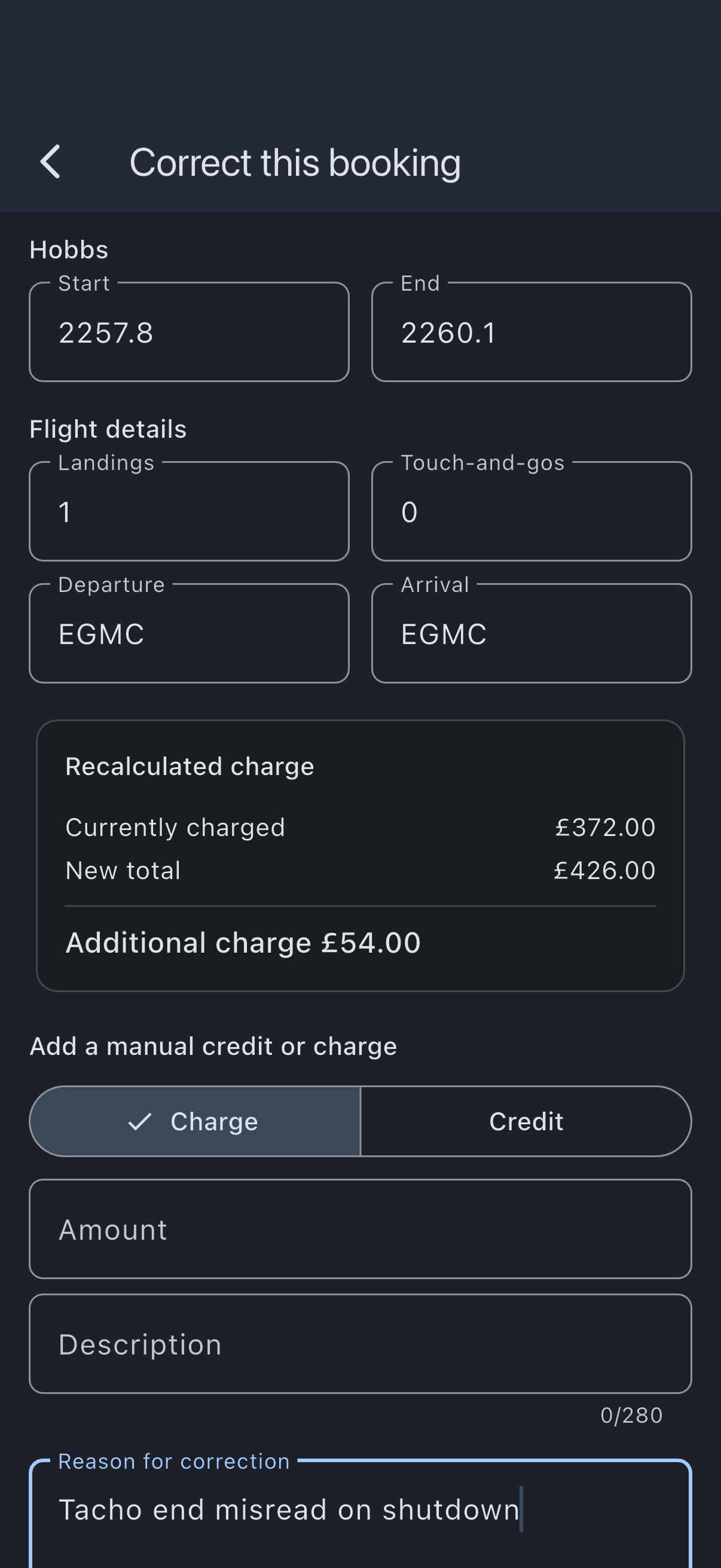
What happens on confirm:
- The flight record is corrected in place. The values it held before are preserved in the audit trail (who changed what, when, and why), so the record of what was originally captured is never lost.
- The asset’s meter and maintenance “next due” are recomputed from the corrected readings.
- A single net adjustment is posted to the ledger that brings the flying to its corrected price. If the correction makes no difference to the money (you only fixed a non-billed detail), no ledger line is posted, but the input change and the reason are still recorded. A maintenance booking never posts an adjustment, however much the reading changes: flying to the engineer isn’t billed in the first place, so there is nothing on the ledger to correct — only the flight record and the meter move.
- Anything you added to the booking by hand is left alone. A correction re-prices the flying, and a free-form adjustment (see below) isn’t part of that price — there is no control for it on the correction screen, so it stands exactly as you posted it. What the correction does absorb is its own earlier work: correct the same booking twice and you get the difference each time, never the same difference twice.
The member’s balance updates accordingly, and the booking’s financial section shows the original charge plus the adjustment, leaving a complete audit trail.
If the member has already paid
Section titled “If the member has already paid”Correcting a booking always works on the ledger: a downward correction leaves the member in credit against future charges, whether or not they have paid the original charge yet. It sends no money anywhere.
If they have already paid and the difference should go back to their bank rather than sit on their account, correct the payment instead of the booking. Do it from Admin → Payments → Reversals — see Refund or correct a payment. Whether the money reaches their bank or lands on their account depends on how they paid; that page shows which you will get. Either way, choose one route or the other: correcting the booking and correcting the payment for the same difference would pay the member twice.
Add a free-form adjustment instead
Section titled “Add a free-form adjustment instead”For a correction that isn’t a captured-usage fix (a goodwill credit, a one-off fee, a manual tidy-up), use Add adjustment instead. It posts a single transaction (positive to charge them more, negative to credit them) with a description, without touching the flight record. It moves no money either way; it changes what they owe. Reach for Correct this booking when the readings were wrong; reach for Add adjustment when the money needs a one-off change unrelated to what was captured.
An adjustment added this way survives a later correction of the same booking. The two are independent: the correction re-prices the flying, the adjustment is whatever you decided on top of it.
What you should NOT do
Section titled “What you should NOT do”- Do not delete the original transactions. Posted ledger entries are sacrosanct. Even with admin database access, deleting a transaction destroys the audit trail and breaks balance reconciliation. The correction posts a new adjustment; the originals stay.
- Do not re-finalise the booking. It’s already finalised. Use Correct this booking; trying to finalise again will fail (the booking is already finalised).
Why a correction, not a re-finalisation?
Section titled “Why a correction, not a re-finalisation?”The flight record and the ledger answer different questions:
- The flight record answers “what did the meter read, as captured?” Correcting it in place (with the original kept in the audit trail) keeps it the truthful operational and regulatory record while preserving the history of what was first entered.
- The ledger answers “what was charged?” It stays append-only: the original charge is left intact because it represents what happened on the ledger at the time, and the correction adds a new net adjustment for the difference.
This separation is standard double-entry bookkeeping practice and what every accounting system Syndik8 might integrate with assumes.
See also
Section titled “See also”- Finalisation rules: when a booking can finalise, and how each path handles a junction.
- Reversals: the broader class of correction actions, and what happens when money goes back.
- Refund or correct a payment: putting right a payment a member has already made.
- Tacho-continuity conflict: the most common cause of needing this correction.
- Auto-finalisation: the eager pay-as-you-go path whose forward-only correction model this recipe is the recovery for.
- Finalise multiple bookings at once: the bulk path; the most-recent flight finalised here is a common source of a later-discovered correction, once the next flight is logged and its start reading disagrees.
- Enable auto-finalisation: the toggle that decides whether your syndicate is on the eager path.