
Defer a grounding squawk
Defer a grounding squawk
Section titled “Defer a grounding squawk”Ground-blocking squawks block all bookings on an asset until resolved. If the issue is understood and acceptable to continue operating with (for example, a known minor defect pending parts), you can defer the squawk until a stated date.
This is a different feature from deferring a maintenance limit. This one is about a reported defect. If you instead want to push out a scheduled check’s own due point — no defect involved — use Defer a maintenance limit instead.
Before you start
Section titled “Before you start”- You must be an admin.
- Only
opengrounding squawks can be deferred. Caution and info squawks have no ground effect and do not need deferral. - Deferral requires both a reason and an expiry date (Defer Until).
- Open the asset and tap the grounding squawk to open its detail screen.
- Under Admin Actions, tap Defer.
- A date is always already filled in under Defer Until: a week out, or the day after a repair booking already linked to this squawk if one exists. The button shows that date; tap it to pick a different one. Whatever it reads is the last day the deferral is in force.
- Enter a Reason: why the asset is safe to continue operating until that date.
- Tap Submit to confirm.
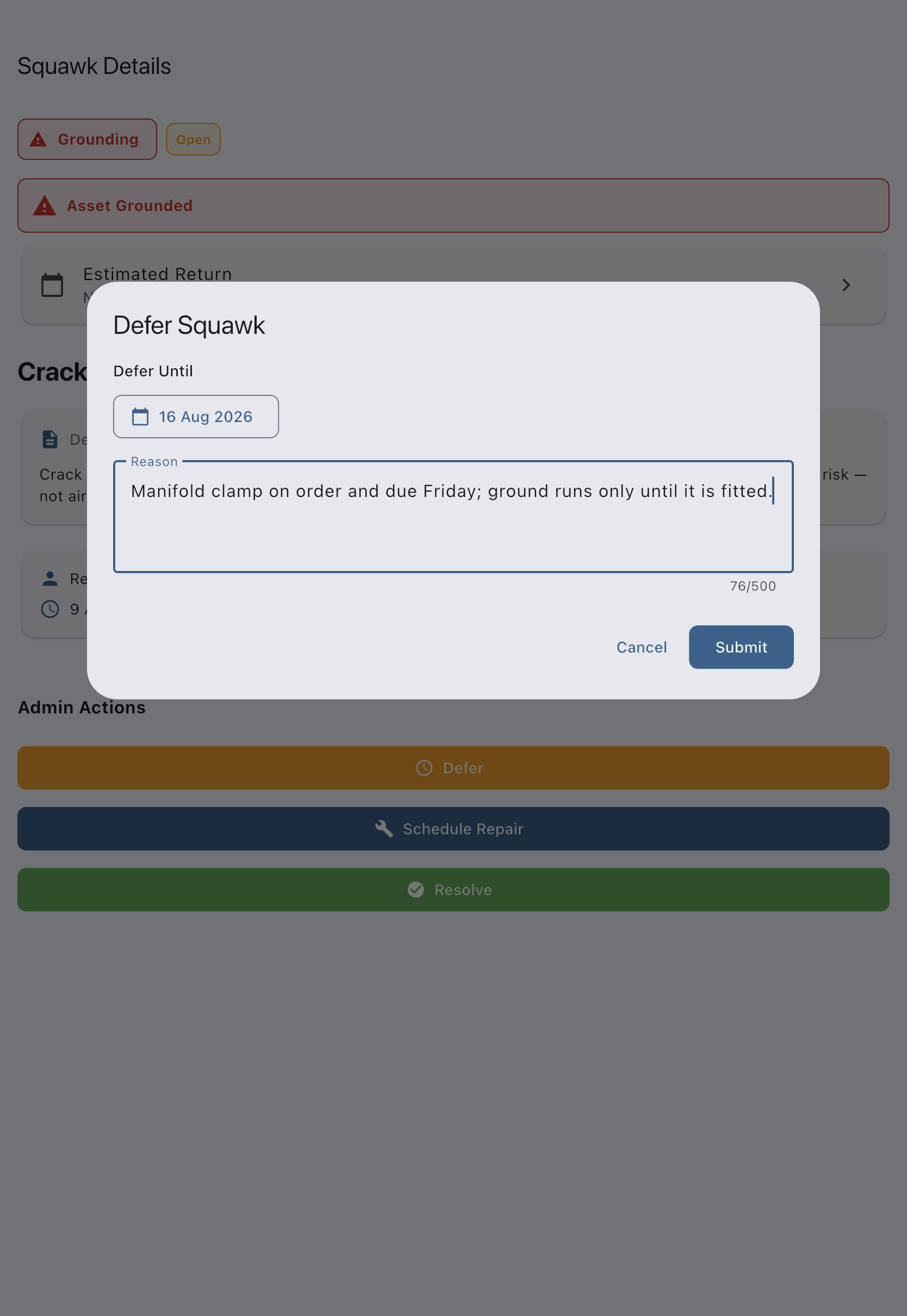
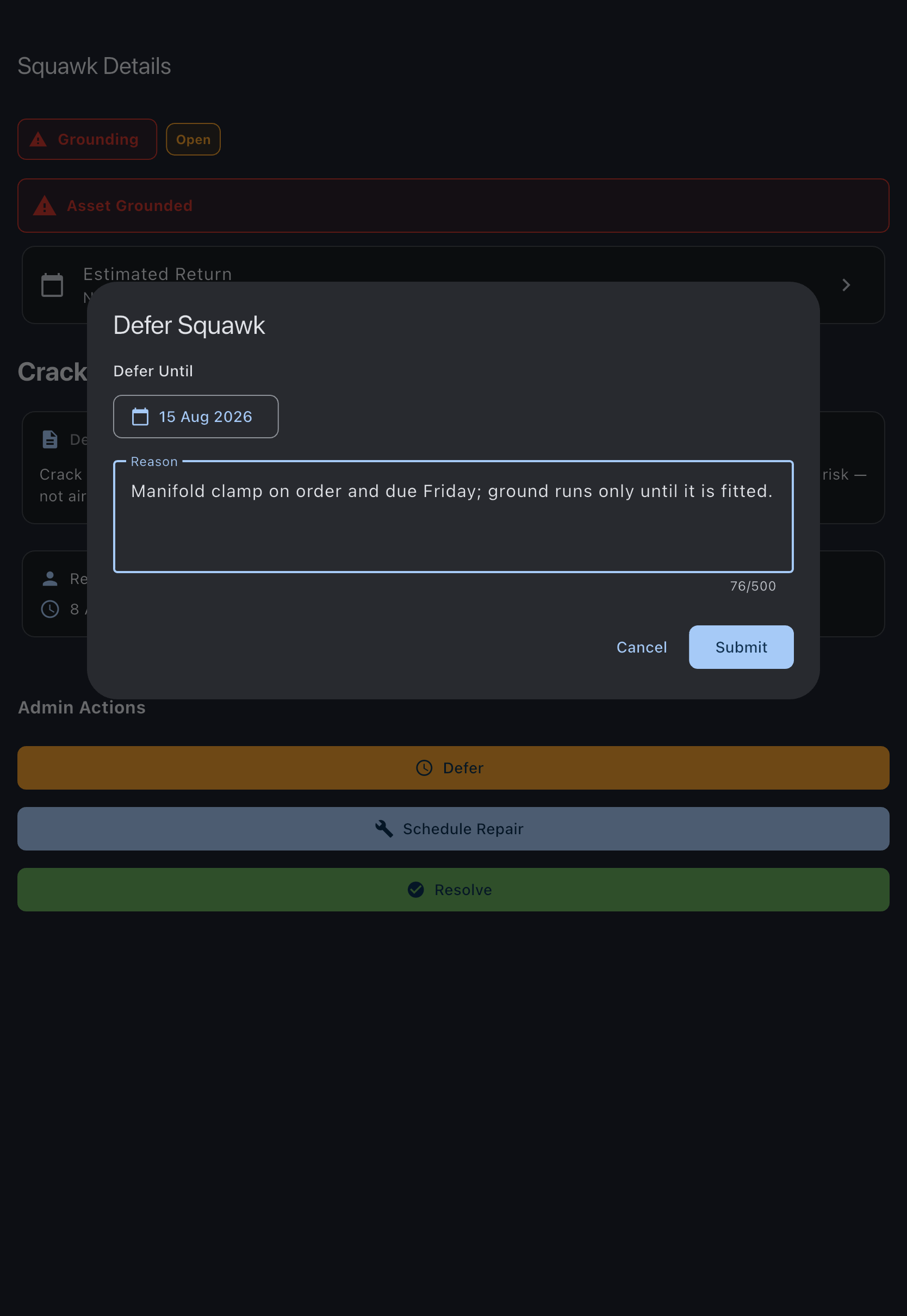
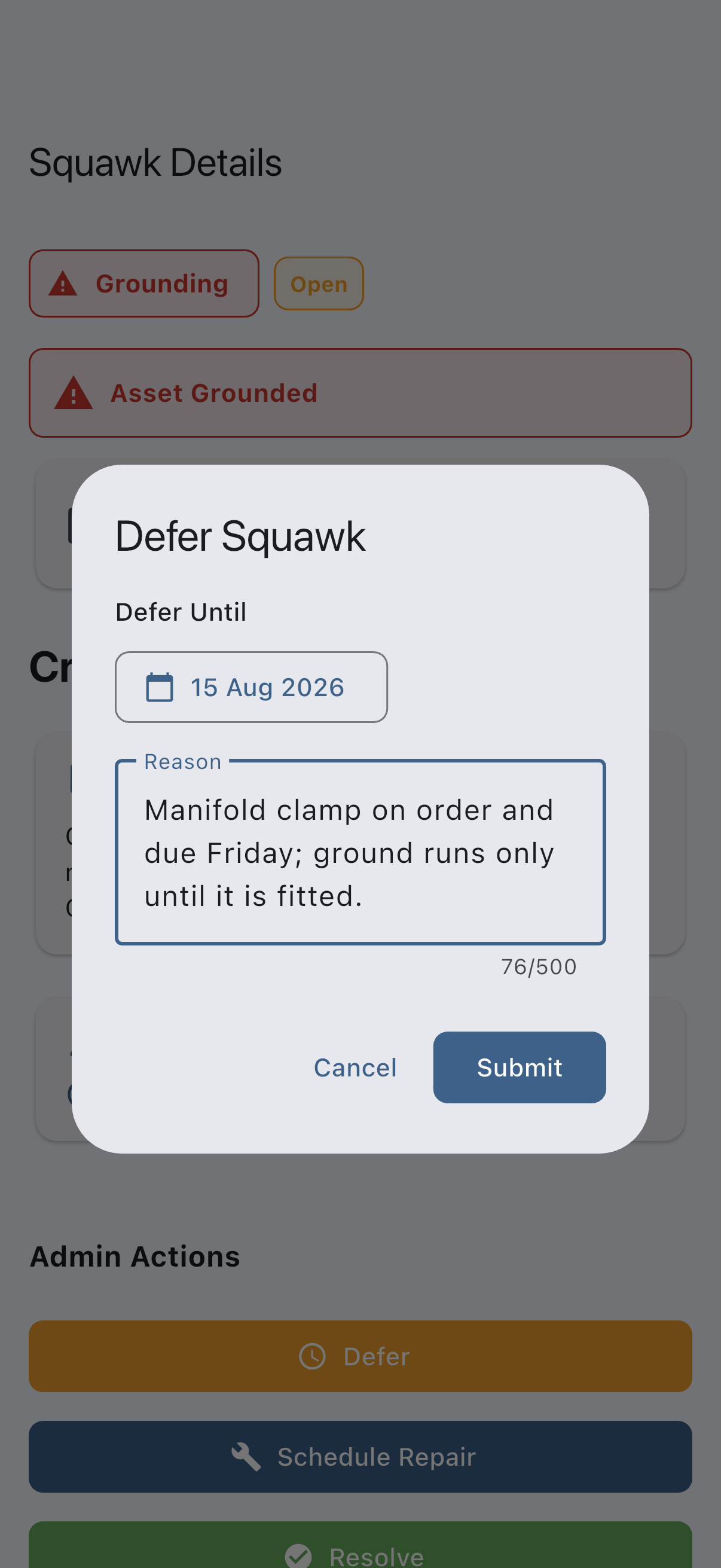
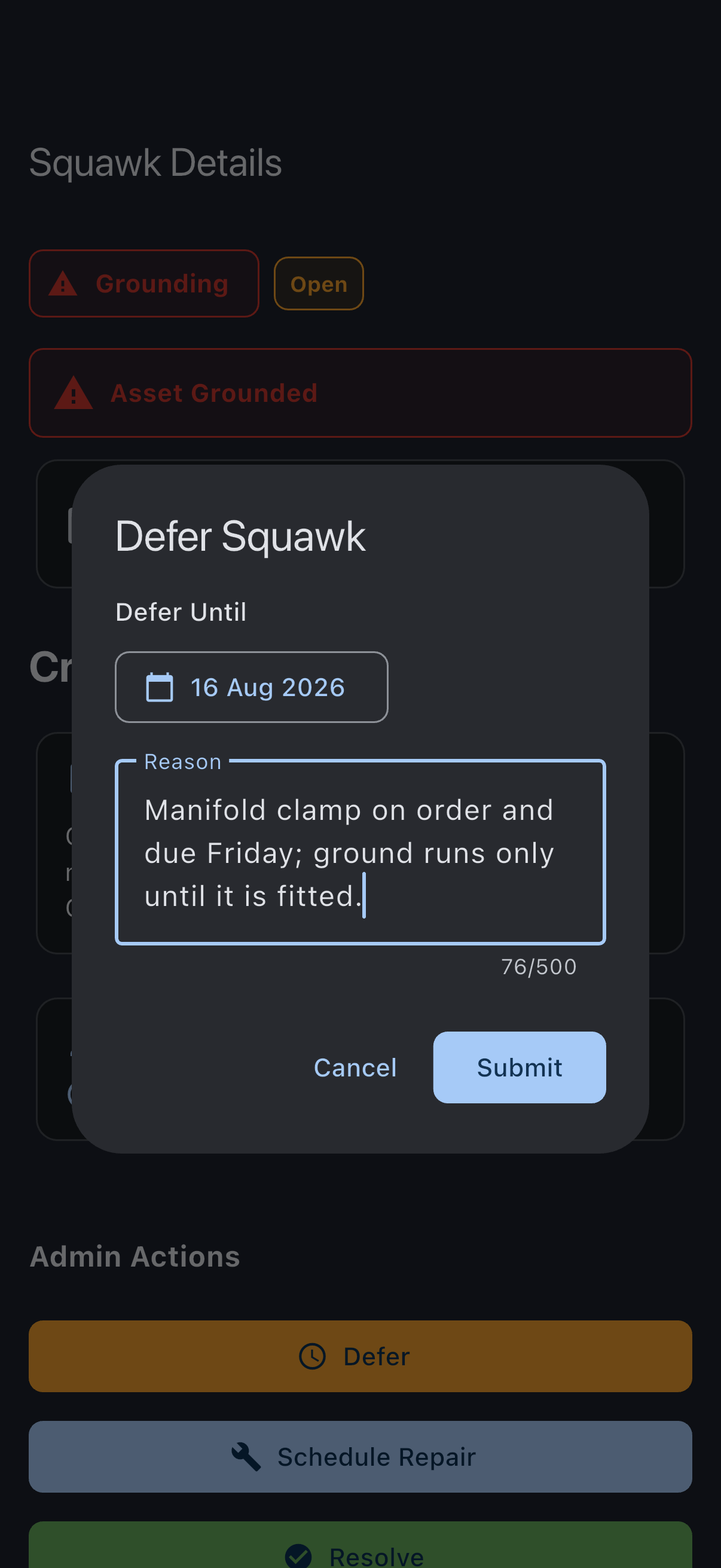
You see Squawk deferred. The squawk moves to deferred, the asset returns to service, and the bookings that the grounding had suspended are restored to confirmed. The squawk detail screen shows Deferred until: [date] and the reason.
The deferral is honoured through to the end of the date you set. The morning after it passes, the asset is grounded again automatically and the bookings spanning it suspend once more, unless you have resolved the squawk in the meantime. On the day the deferral expires, the syndicate’s admins get a Squawk Needs Closing reminder so the lapse does not catch anyone out.
If it goes wrong
Section titled “If it goes wrong”- “Reason is required”: enter a short explanation in the Reason field.
- “Couldn’t defer this squawk”: nothing has changed. Check your connection and try again.
- The Defer button is not shown: the squawk is not in
openstatus, or not a grounding severity. Only open grounding squawks can be deferred.
See also
Section titled “See also”- Squawk statuses: when a squawk can move to deferred
- Squawk severities: which severities block operation
- Airworthiness rules: how deferred squawks affect bookings
- Resolve a squawk: close the squawk once the work is done
- Schedule a repair for a squawk: book in the maintenance and defer until it happens
- Defer a maintenance limit: the equivalent action for a scheduled check, not a reported defect