
Cancel a booking
Cancel a booking you made so the time slot is freed up for other members.
Before you start
Section titled “Before you start”- You can cancel your own bookings at any status of
tentative,pending,confirmed, orsuspended, right up until the booking’s end time. Once that end time has passed the Cancel Booking button disappears whatever the status, so a slot you booked yesterday and never flew cannot be cancelled.completedbookings cannot be cancelled either, because they have already been finalised. - Admins can cancel any member’s booking in their syndicate.
- Cancellation is a one-way transition. A cancelled booking cannot be un-cancelled. To reinstate, create a new booking.
- Open the booking you want to cancel. Tap it on the calendar, or find it in the Bookings tab.
- Tap Cancel Booking at the bottom of the booking detail screen. It sits beside Edit, in the lighter outlined weight, because it is the one that cannot be undone.
- The confirmation dialog reads “Are you sure you want to cancel this booking? This action cannot be undone.” Tap Cancel Booking. To back out, tap Keep Booking.
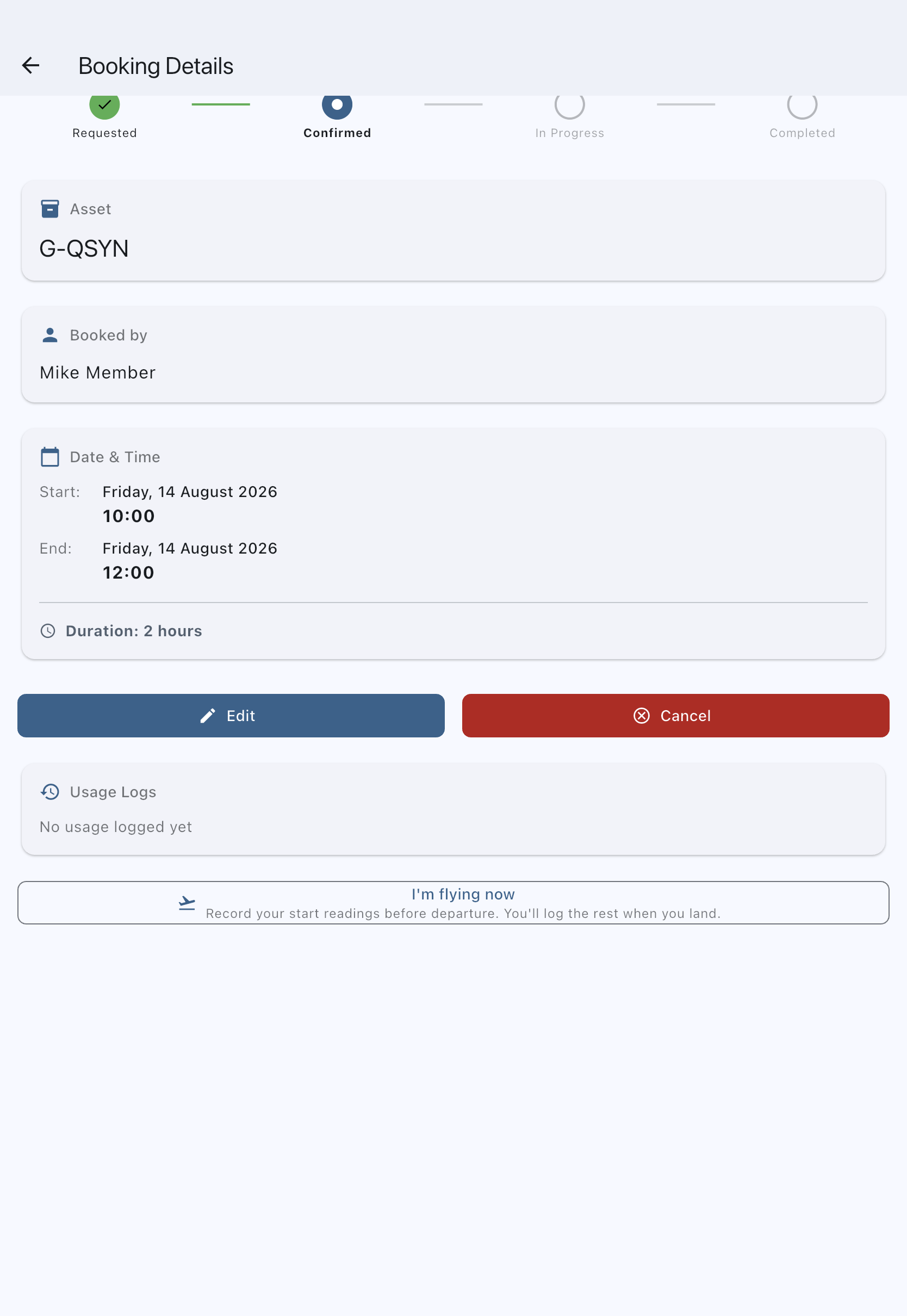
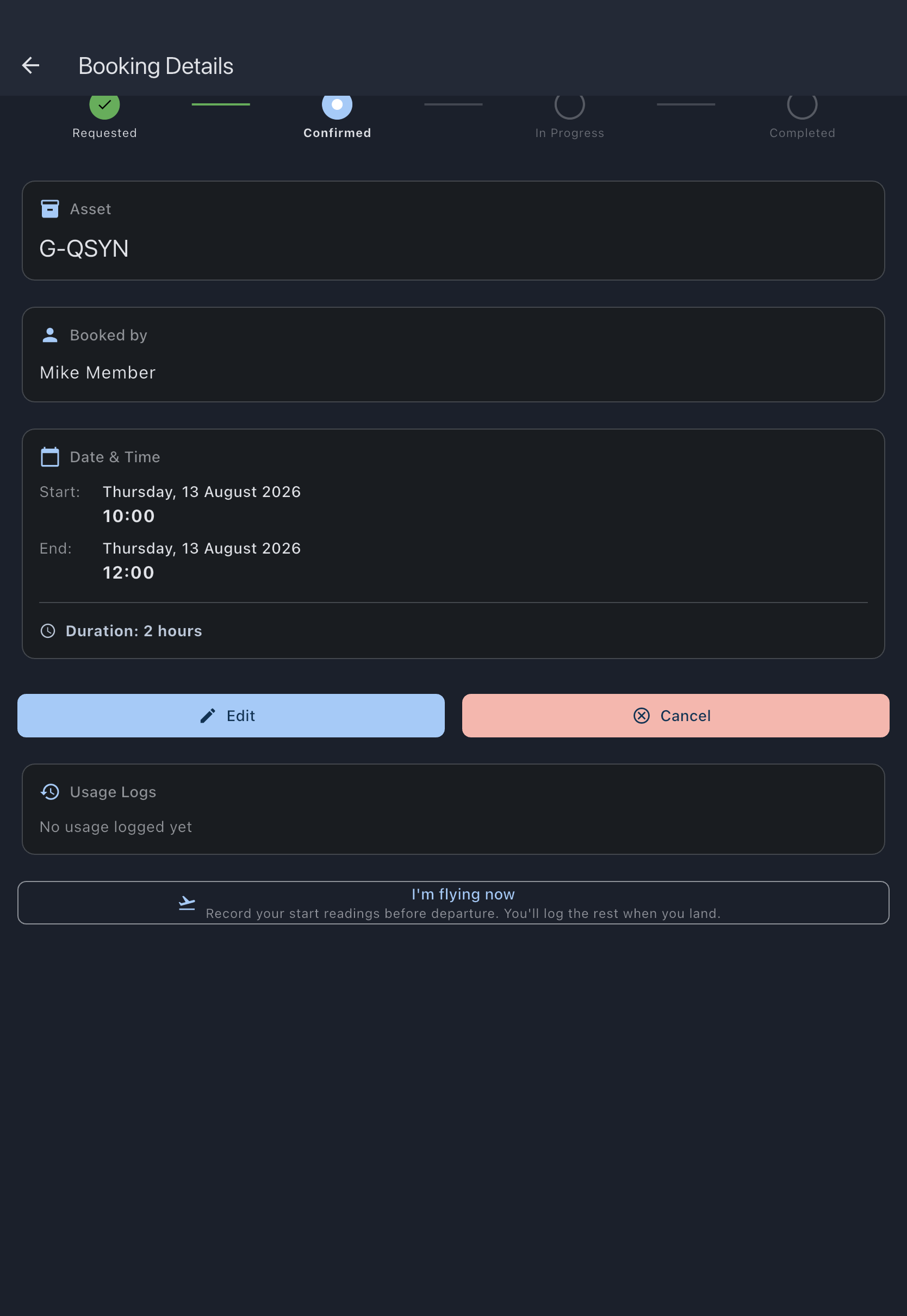
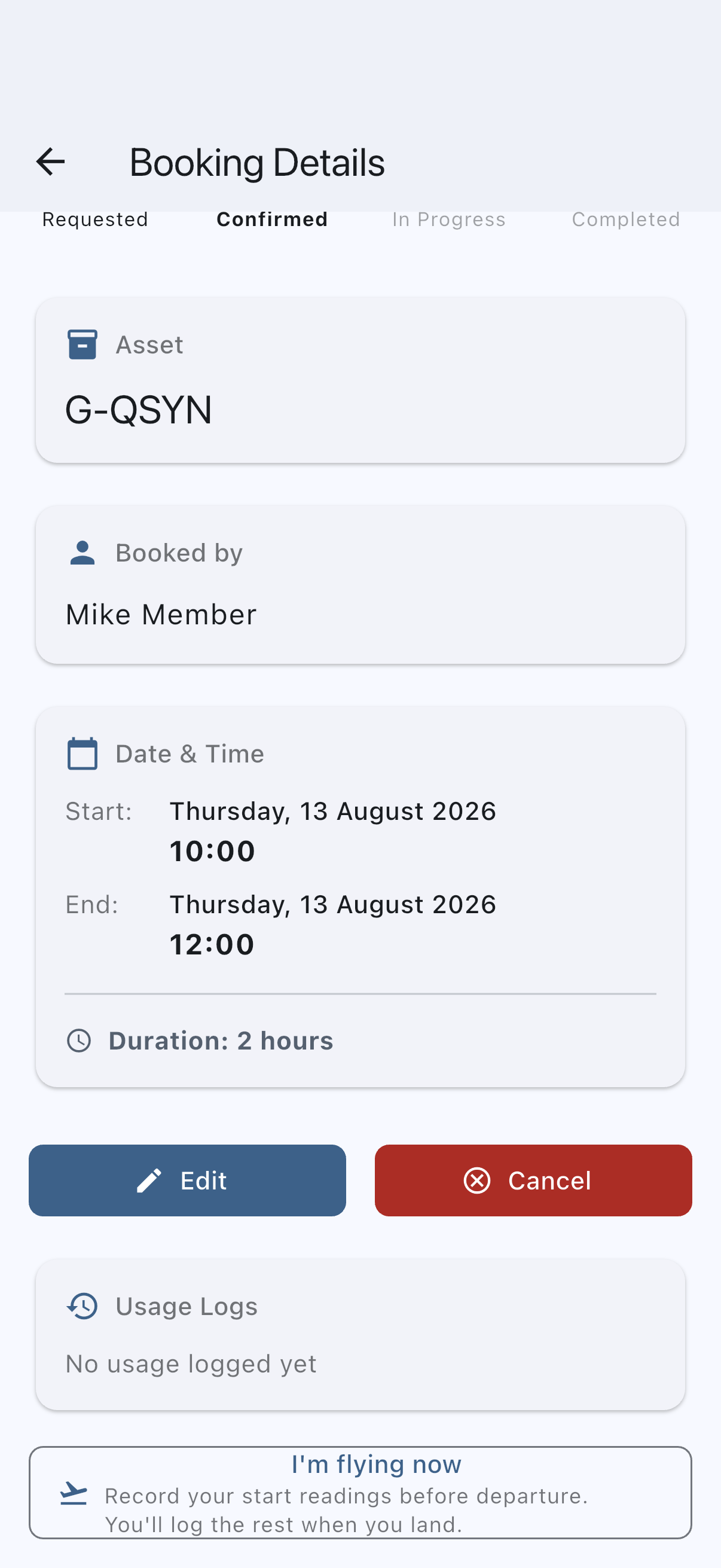
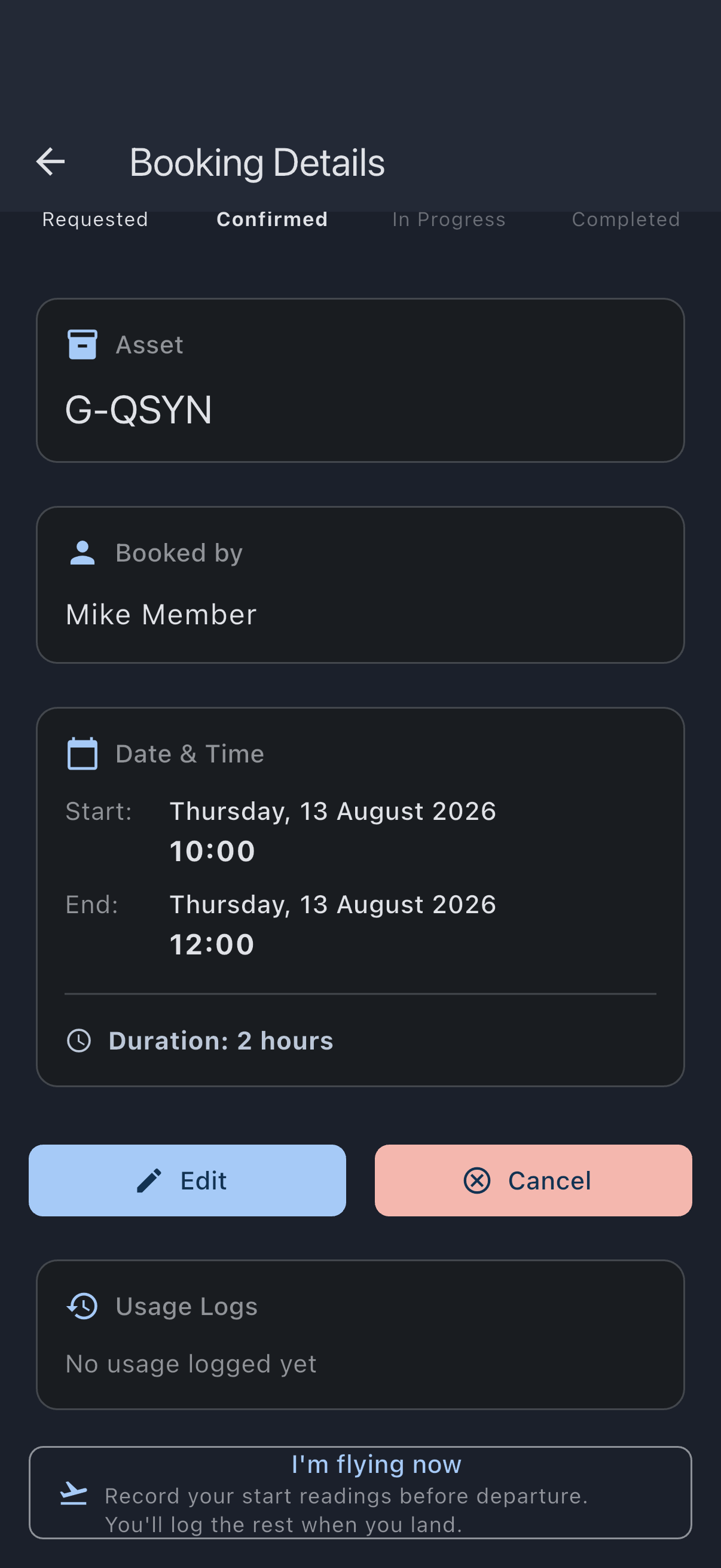
You’ll see a Booking cancelled successfully snackbar and you are returned to the previous screen. The booking’s status becomes cancelled and it no longer appears on the calendar (it is still retained in the audit trail). Offline the snackbar reads Booking cancelled successfully, followed by Will sync when you’re back online; the slot frees up locally immediately and the change reaches the rest of the syndicate when the app next syncs.
Cancel another member’s booking (admin)
Section titled “Cancel another member’s booking (admin)”An admin can cancel another member’s booking (including a confirmed one) and must record a reason. The reason is shown back to the member so they understand why their approved booking was removed.
- Open the member’s booking from the calendar or the Bookings tab.
- Tap Cancel booking at the bottom of the screen.
- In the dialog, enter a reason in the Reason field. The prompt reads “Provide a reason so the member knows why their booking is being cancelled:”. The confirm button stays disabled until you type something.
- Tap Cancel Booking to confirm, or Keep Booking to back out.
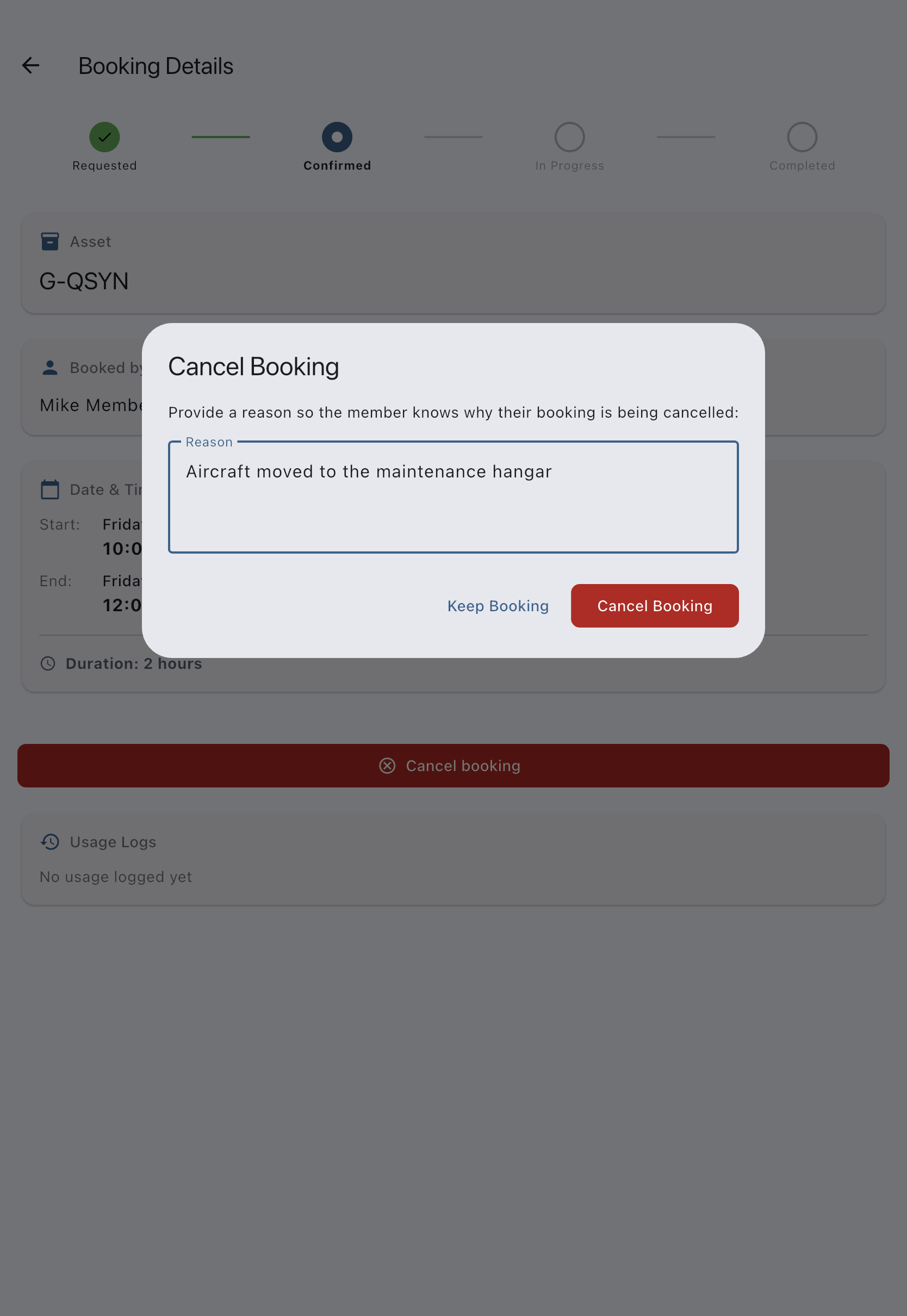
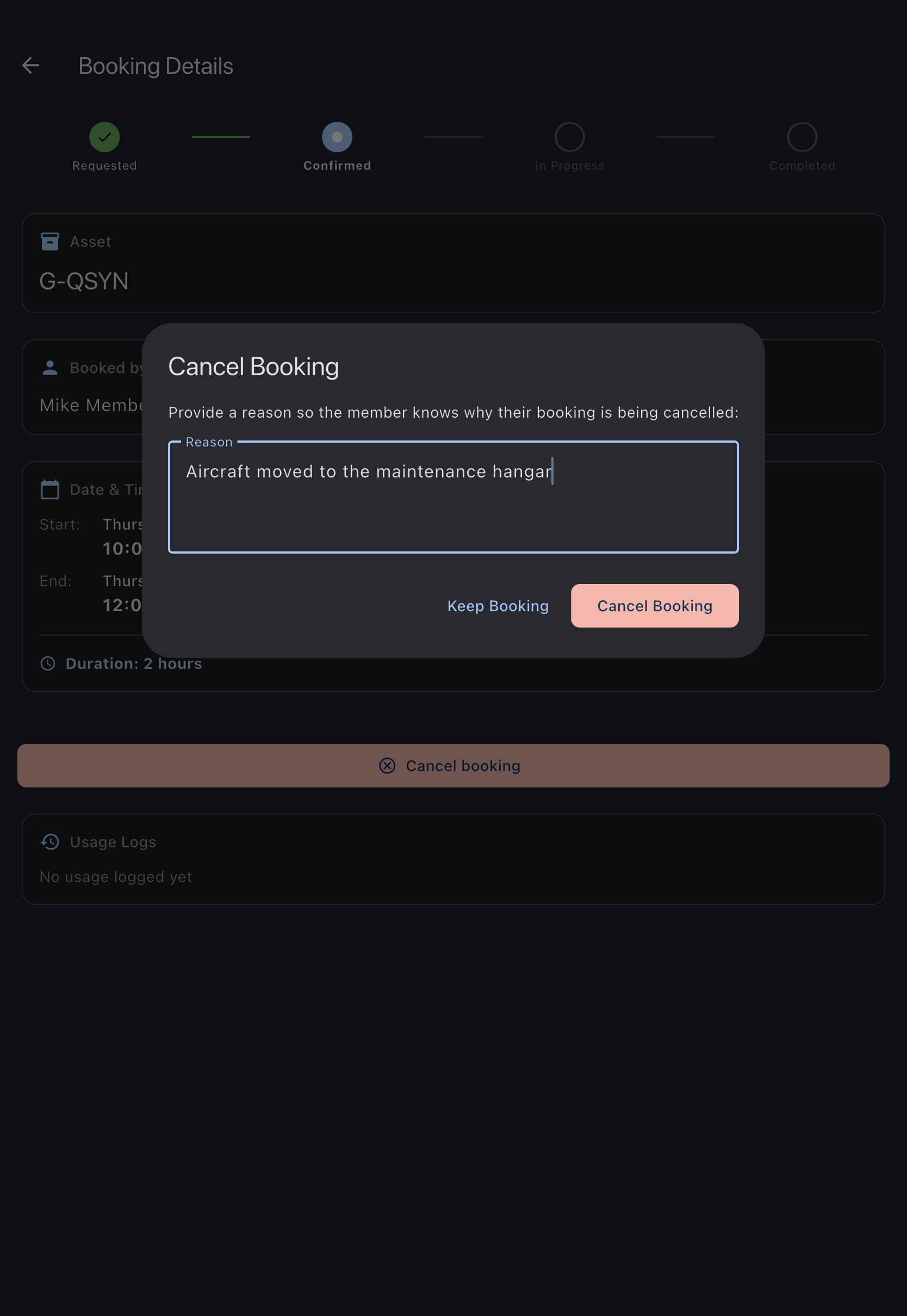
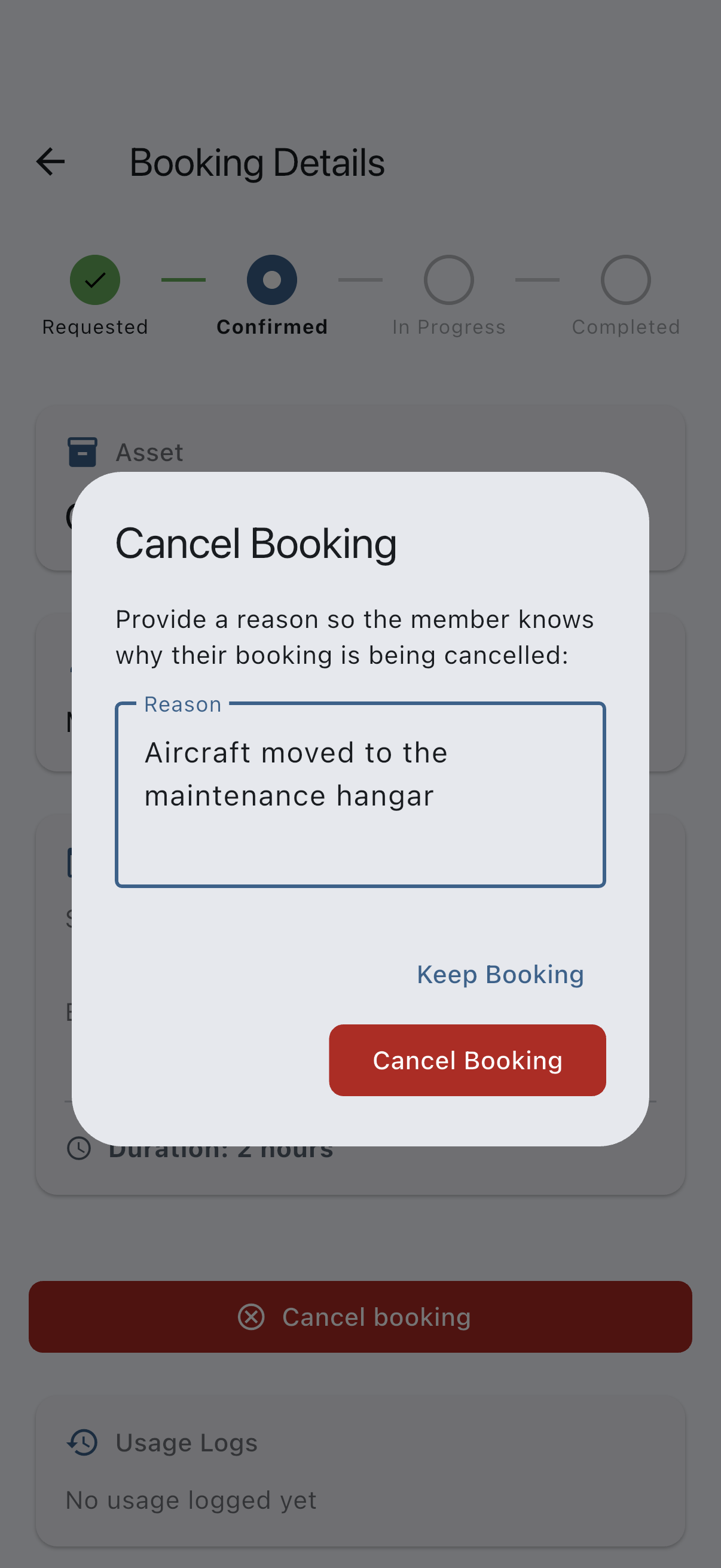
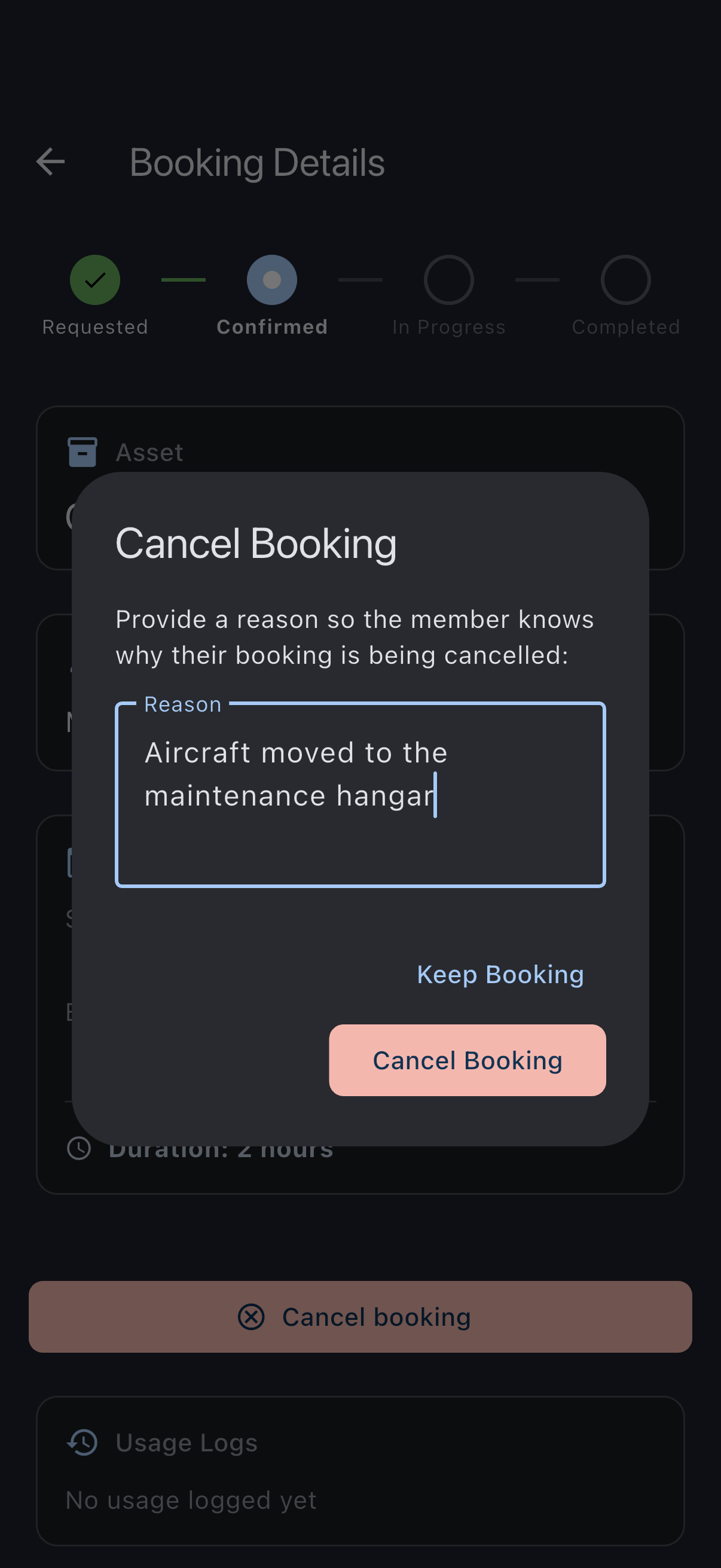
The member sees a Cancelled by an admin banner on the booking showing your reason, and they receive a notification. Cancelling your own booking does not ask for a reason; only an admin cancelling someone else’s does.
What cancellation does
Section titled “What cancellation does”- Frees the time slot on the asset for other members.
- Records the moment of cancellation for audit. Cancelled bookings are excluded from the ICS calendar feed.
- Does not generate a charge. No usage has been logged, so no finalisation has happened.
- Sends no refund. There is nothing to refund; cancellation happens before finalisation.
If it goes wrong
Section titled “If it goes wrong”- The Cancel button is not shown. Either the booking has already ended, or its status is
cancelled,rejected, orcompleted. Cancelling is offered only while the booking is still to come or still running, and the Edit button disappears at the same moment, so a booking whose end time has passed shows neither. - The Cancel button is visible but disabled (greyed out) with the tooltip “Delete the usage log first to cancel this booking”. A usage log has been filed against this booking. The button remains visible so you know cancellation exists, but it is blocked until the log is removed. Open the booking’s Usage Logs section, delete the log, then return here to cancel.
- “Cancelling…” spinner stays forever. The local write is fine but the UI is stuck redrawing; force-close the app and reopen. Offline cancellations queue and sync when you reconnect, and the snackbar tells you so.
See also
Section titled “See also”- Booking statuses
- Edit a booking: move the booking instead of cancelling it.
- Reject a member’s booking: the admin-side equivalent for pending bookings.
- Role capability matrix