
Log a ground run or ferry flight against a maintenance booking
Log a ground run or ferry flight against a maintenance booking
Section titled “Log a ground run or ferry flight against a maintenance booking”During maintenance, the engine often runs without the aircraft leaving the ground: an end-of-work ground run, a mag check, a post-rebuild leak test. Occasionally the aircraft moves under its own power, flown by someone who isn’t the usual booker. A workshop pilot ferries it to or from a workshop. Both cases need to be recorded on the asset’s logbook so the meters advance, but the usage shouldn’t be attributed to whoever booked the maintenance, and landings/airframe hours shouldn’t tick up for an engine that never left the chocks.
Syndik8 handles both scenarios as usage logs against the maintenance booking, with two knobs on the log form: Used by (who actually operated the asset) and No takeoff (suppresses landings and airframe-hours tracking).
Before you start
Section titled “Before you start”- The maintenance booking must already exist. If it doesn’t, see Schedule maintenance over member bookings.
- Any member of the syndicate can log usage against a maintenance booking, not only the admin who scheduled it. That’s deliberate: the pilot who ferried the aircraft, or the admin who supervised the ground run, should be the one who records the meter.
- Nobody has to finalise a maintenance booking by hand. It closes on its own, on the first finalisation sweep after its end time, in every syndicate — flying to the engineer is not billed to anybody, so there is no charge for an admin to review. An admin can still close one early from the booking itself; see Finalise a booking.
Steps: ground run by a mechanic
Section titled “Steps: ground run by a mechanic”An engine run-up during maintenance. The engine ran; the aircraft didn’t fly.
-
Open the maintenance booking via Syndicate → Calendar → [the maintenance slot]. (The Bookings list is filtered to your own bookings and does not show maintenance entries.)
-
Tap Log Usage.
-
Enter the engine meter Start and End readings as normal. The meter moves during a ground run; that’s expected.
-
Under Used by, pick the member who supervised the run, or type a free-text name for an external mechanic (for example “Jack at SkyAvionics”). A free-text name records the attribution without creating a user record.
-
Mark this as a ground run. Which control you get depends on one setting, Capture airborne time, not on how the syndicate bills:
- Airborne time not captured: switch on No takeoff. This suppresses the landings and touch-and-go fields, and stops airframe-hours from advancing.
- Airborne time captured: the No takeoff switch is replaced by a Was there airborne time? question, offering It flew and Ground run. Choose Ground run; it has the same effect. (The question is shown only while the takeoff and landing times are still blank. Fill those in and it disappears, because the aircraft plainly flew.)
The engine meter still updates normally in both cases.
-
Add Notes, for example “mag check after plug clean”.
-
Tap Log Usage to save.
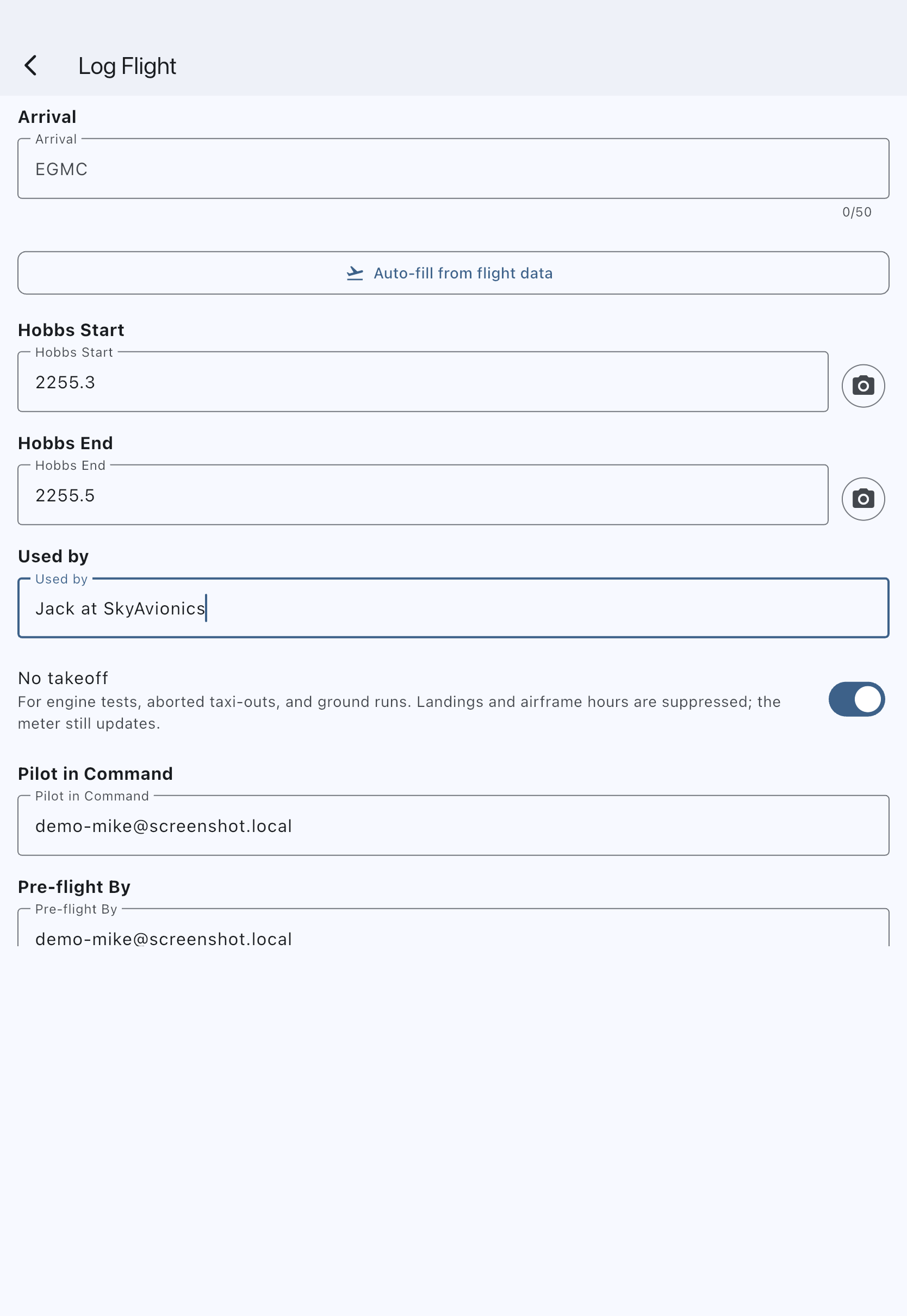
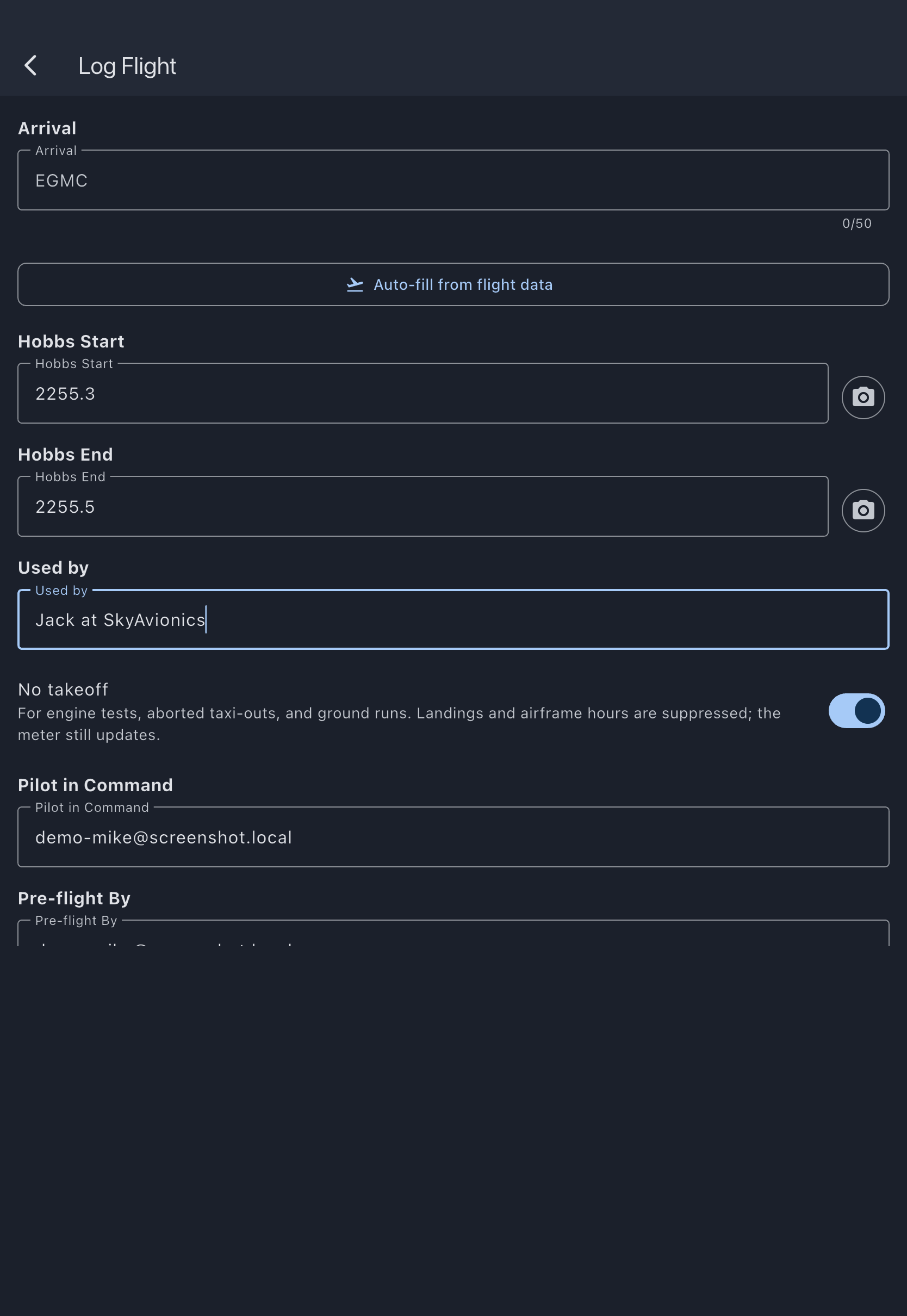
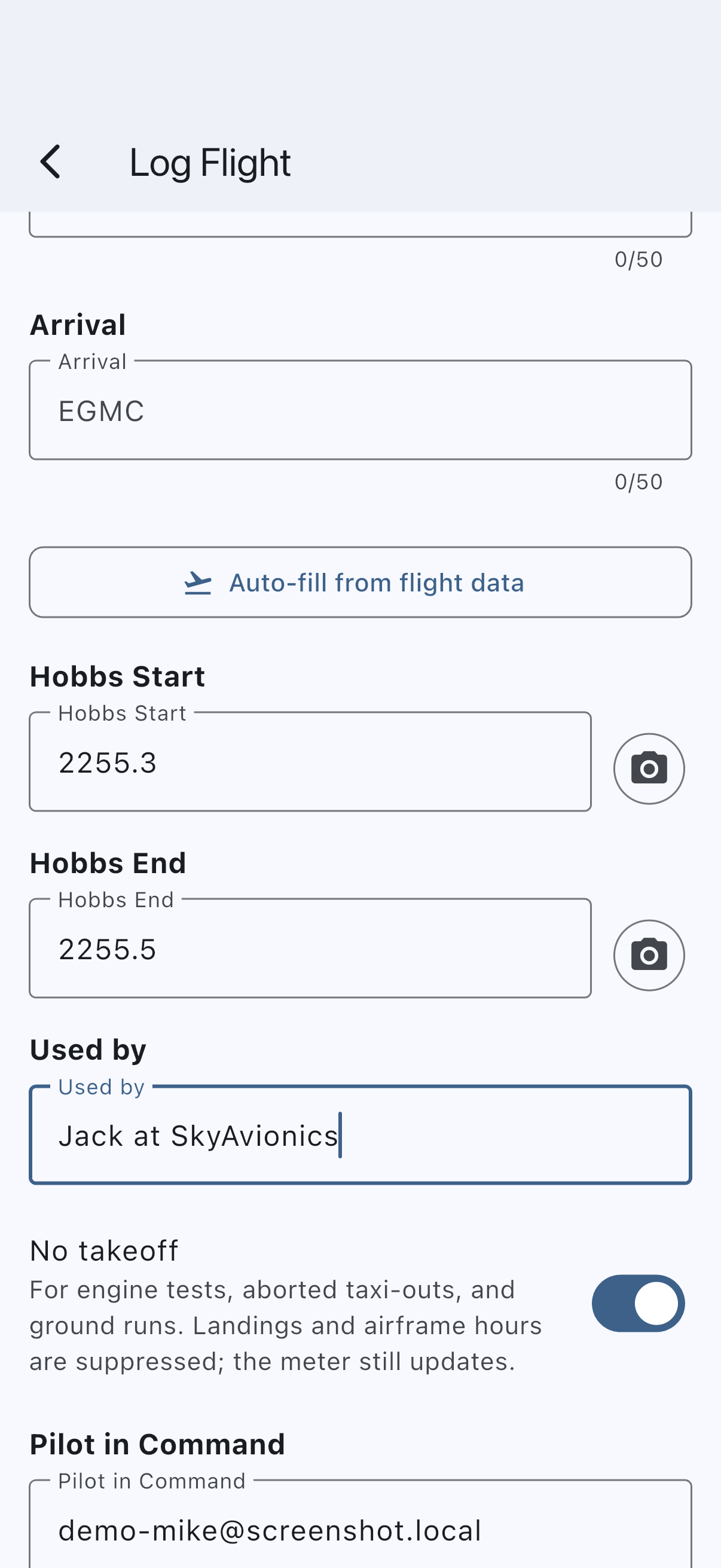
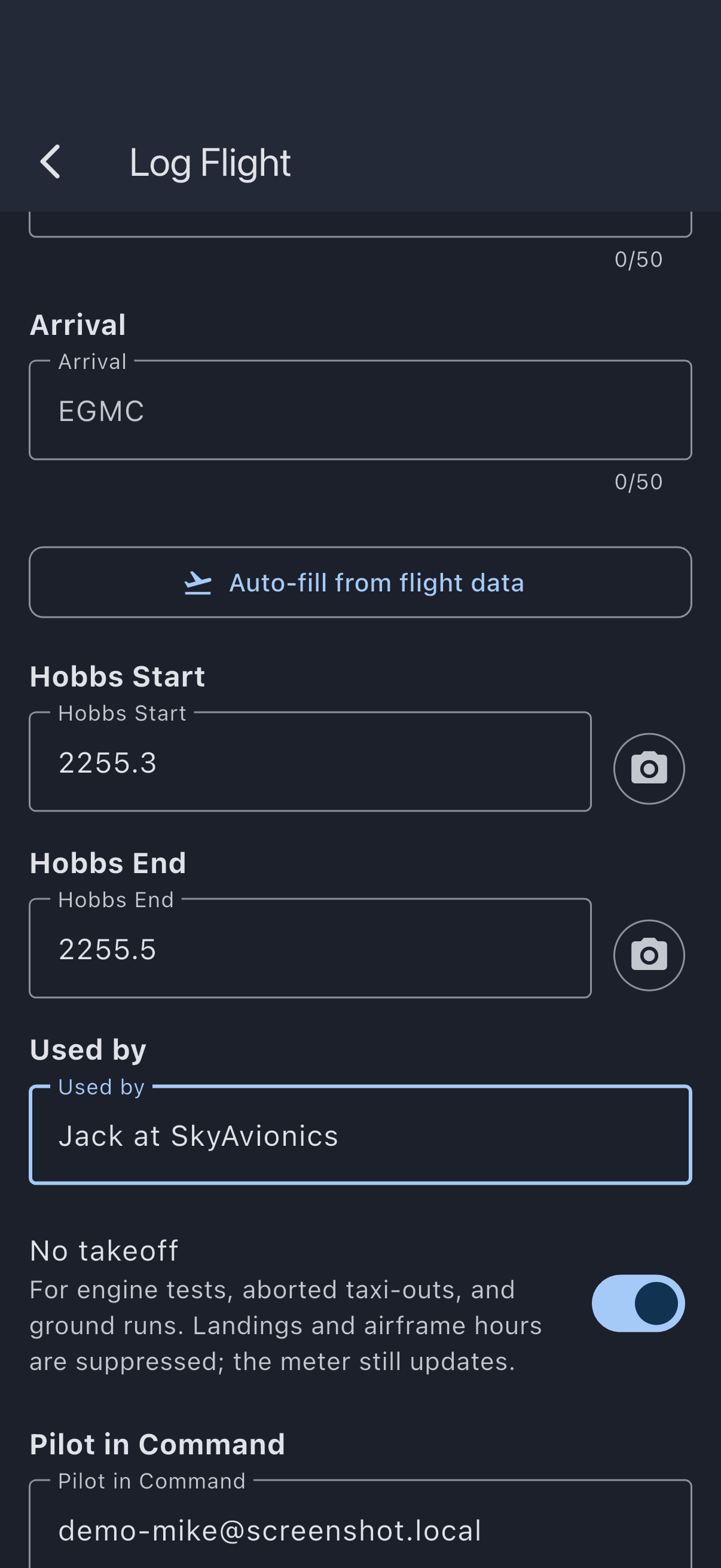
The meter on the asset advances, the engine hours accrue toward the next engine-hours-based maintenance item, but the airframe log and landing counter are untouched. The booking closes itself on the next finalisation sweep after its end time, with no charge to anybody.
Steps: ferry flight by someone who isn’t the booker
Section titled “Steps: ferry flight by someone who isn’t the booker”A relocation flight to or from a workshop, flown by a workshop pilot or another member on behalf of the syndicate.
- Open the maintenance booking via the Calendar. Again, any syndicate member can log against it; the ferry pilot can do this themselves.
- Tap Log Usage.
- Enter the meter readings, departure, arrival, landings, and so on; the same fields as a normal flight.
- Under Used by, pick the member who flew, or type a free-text name for an external pilot (“J. Smith, workshop ferry pilot”). Do not leave it as yourself if you weren’t the one flying. The logbook attribution is the point of the field.
- Leave No takeoff switched off, or answer It flew if your syndicate captures airborne time. A ferry flight has takeoffs and landings and should accrue airframe hours like any other flight.
- Add Notes. “Ferry Booker → Workshop for annual” is the kind of line that’s useful three years later.
- Tap Log Usage to save.
What “Used by” actually does
Section titled “What “Used by” actually does”The Used by value is stored on the usage log either as a link to a syndicate member (when one is picked) or as a free-text name (when a name is typed); exactly one of the two is always set. The asset’s tech log and, in future, the per-pilot logbook views read this field (not the booker field) to answer “who operated this asset on this day.” Defaulting to the current user is right in the vast majority of cases; the exceptions are precisely the ones in this how-to.
A free-text name is a one-off record. If the same external pilot appears frequently, consider inviting them as a member. After they accept, future entries can pick them from the member picker and their logbook accumulates properly.
Interaction with meter continuity
Section titled “Interaction with meter continuity”Syndik8 detects meter discrepancies between consecutive usage logs on the same asset. If the engine start reading on a new log doesn’t match the previous log’s end reading, the save still succeeds but the log is flagged for admin review at finalisation time. Ground runs do cross this check: if a mechanic runs the engine for ten minutes and the meter advances from 1234.5 to 1234.7, the next usage log (a member flight) must start at 1234.7, not 1234.5. The admin is asked to reconcile if it doesn’t. Because the ground run or ferry is itself the most recent log on the asset, the next flight pre-fills its start meter from that reading, so a pilot who accepts the pre-fill lines up automatically and no conflict is raised.
If it goes wrong
Section titled “If it goes wrong”- “Exactly one of Used by / Name must be set”: a validation error if the picker value was cleared. Pick a member from the list or type a free-text name; the field can’t be empty.
- Landings field is still visible after I selected No takeoff / Ground run: the form updates reactively; if the field is still showing, the selection has not registered cleanly. Tap the control again to confirm the selection.
- Meter discrepancy warning appears: the start value doesn’t match the asset’s current reading. Either the reading on the aircraft has changed since the previous log (a ground run that wasn’t logged, for example), or you’ve typed the wrong number. Double-check the reading, then either adjust or save and let an admin reconcile at finalisation.
See also
Section titled “See also”- Schedule maintenance over member bookings: create the booking this how-to logs against.
- Usage log fields: every field on the usage form, including the Used by and No takeoff semantics.
- Log your first flight: end-to-end tutorial on the non-maintenance path.