
Finalise multiple bookings at once
Finalise multiple bookings at once
Section titled “Finalise multiple bookings at once”When the unfinalised queue is large and most bookings are clean, bulk-finalise in one action instead of opening each booking. Bulk uses the same continuity check as auto-finalisation: every booking’s first log start is compared to the flight before it on the same asset, so a booking whose reading disagrees with its predecessor stays out of the batch until you investigate.
This is the path syndicates that leave auto-finalisation off use to reconcile at month-end. Auto-finalise covers the eager case; this page covers the prudent one. Both ask the same question — does this flight line up with the one before it?
Before you start
Section titled “Before you start”- You must be an admin.
- Bookings with a shortfall are flagged with a Shortfall badge in the list; finalising them here applies the calculated shortfall charge as-is. To waive the shortfall, finalise that booking individually first.
- You must be online. The bulk buttons (Finalise No-Shortfall and Finalise All) write to the financial ledger and disable when the device is offline. Finalise No-Shortfall only appears when at least one eligible booking has no shortfall.
- Neither button writes on the tap. Both open a confirmation dialog first, and nothing reaches the ledger until you confirm it. The no-shortfall half is the smaller batch, not the safer one: it is the same irreversible posting on fewer bookings.
- Unfinalised bookings must be on a single asset. When the queue spans more than one asset, the bulk bar is replaced by an info note; finalise each booking individually in that case.
How the continuity check classifies each row
Section titled “How the continuity check classifies each row”Before the batch runs, each booking in the queue is classified by comparing its first log’s start value to the last actually-flown reading before it on the same asset. A reason badge appears next to every row so you understand at a glance whether it will be picked up:
| Badge | What it means | Goes into “Finalise All”? |
|---|---|---|
| Junction confirmed | The start meter lines up with the flight before it — or there is no earlier flight (the first flight on the asset), so there is nothing to disagree with. | Yes |
| Junction conflict | The start meter disagrees with the previous flight’s end beyond tolerance (0.01 h). Excluded; the admin investigates which side is wrong. | No |
| Awaiting previous log | The previous booking on the asset exists but its pilot has not logged yet, so the junction cannot be confirmed. Excluded until that log arrives. | No |
| Couldn’t check | A server error prevented the continuity verdict from being fetched. Excluded; refresh the queue to retry rather than waiting for a pilot. | No |
| Nobody assigned | The booking has no member on it, so there is nobody to charge. Excluded until it is assigned. | No |
The most-recent flight on an asset always finalises: it has nothing after it to wait on, and its own start reading has already been confirmed against the flight before it. There is no “trailing flight” to hold back, so “Finalise All” clears the whole clean queue rather than leaving the latest flight behind.
Maintenance bookings in the queue are finalised as maintenance. The queue holds them alongside members’ flights — the trip to the engineer is unfinalised work like anything else — and the bulk action treats each booking the way opening it would: a member’s flight is charged to that member, and a maintenance booking closes with nobody charged. Flying the aircraft to the engineer is a cost of owning it, already met through the monthlies, so there is no separate charge to raise; the flight itself still counts, since its hours had already moved the meter and joined the technical log when the usage log was saved. You do not need to pull maintenance out and do it separately.
In practice you will rarely see one here. Because a maintenance booking charges nobody, the finalisation sweep closes it on the first pass after its end time in every syndicate, whatever the auto-finalise setting — so by the time you open this screen the maintenance rows have usually gone already. The ones that remain are the ones the continuity check held back, where a ferry flight’s start reading disagrees with the flight before it.
The badges update live as members submit logs. If an Awaiting previous log row’s earlier pilot files their log while you are looking at the queue, the row reclassifies in place to Junction confirmed without you needing to refresh.
When every row in the queue is excluded, the Finalise All button shows greyed out as Finalise All (0) rather than disappearing, so the action stays discoverable and the count makes it obvious why nothing happens if you tap it.
- Open the syndicate.
- Go to Unfinalised Bookings.
- Review the summary header: Sessions, Hours, Landings, T&Gs, and With shortfall counts.
- Scan the badges. Each row carries one of the reasons above. Anything excluded (Junction conflict / Awaiting previous log / Couldn’t check / Nobody assigned) needs separate attention before it can finalise.
- Choose a bulk action:
- Finalise No-Shortfall (N): finalises only Junction confirmed rows that also have no shortfall. Skips anything excluded by continuity, anything with a non-zero shortfall, and anything otherwise ineligible.
- Finalise All (N): finalises every Junction confirmed row in the queue, applying the calculated shortfall where it exists. Excluded rows stay queued.
- Confirm. Whichever button you tapped, a dialog appears before anything is written:
- Finalise No-Shortfall opens Confirm Finalisation, which names how many bookings are about to be finalised and warns that finalising posts charges to the ledger and cannot be undone. Tap Finalise to commit.
- Finalise All opens Confirm Bulk Finalisation, which repeats the counts and says how many of the bookings will have shortfall charges applied. Tap Finalise All to commit.
- Cancel on either dialog leaves the queue exactly as it was; nothing has been posted at that point.
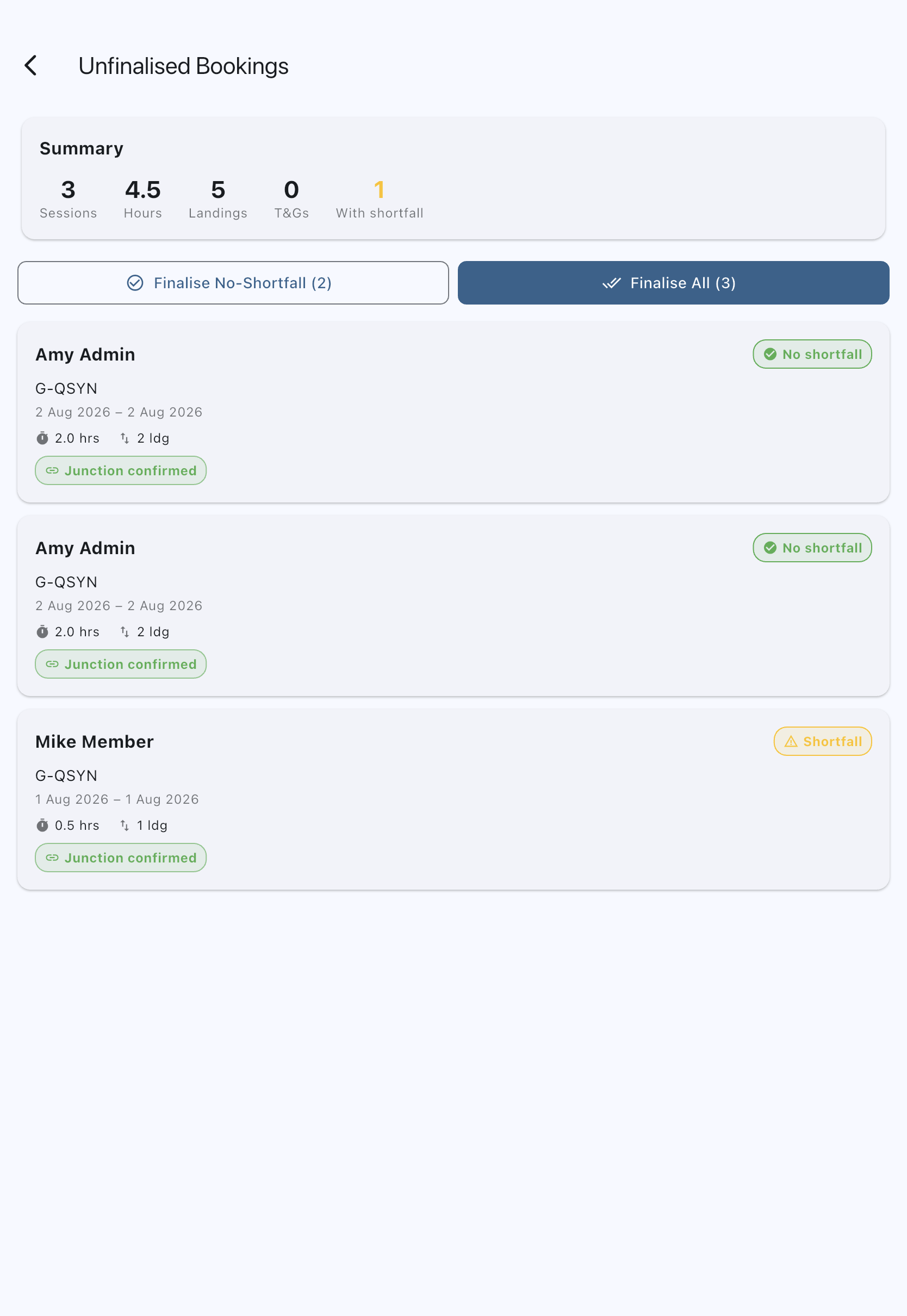
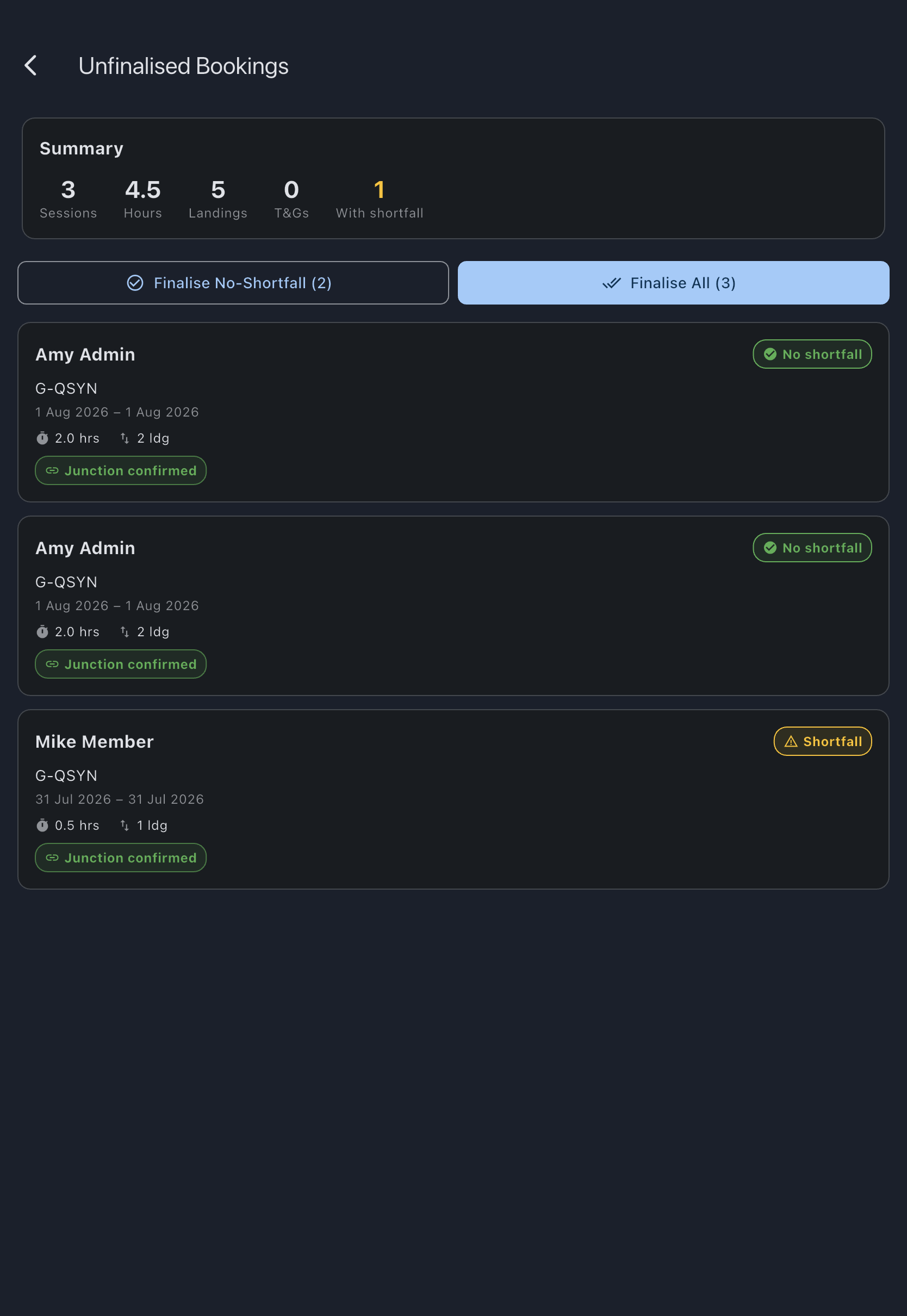
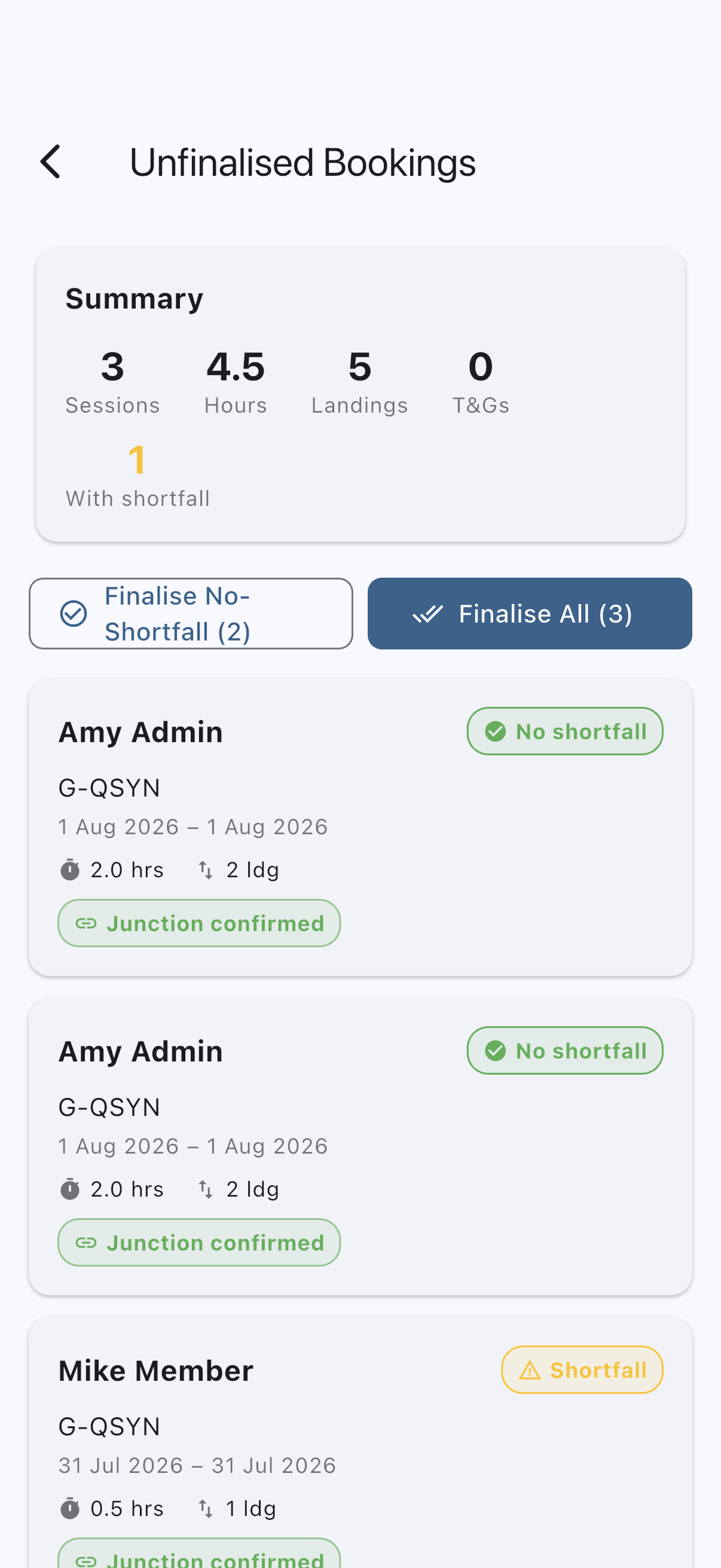
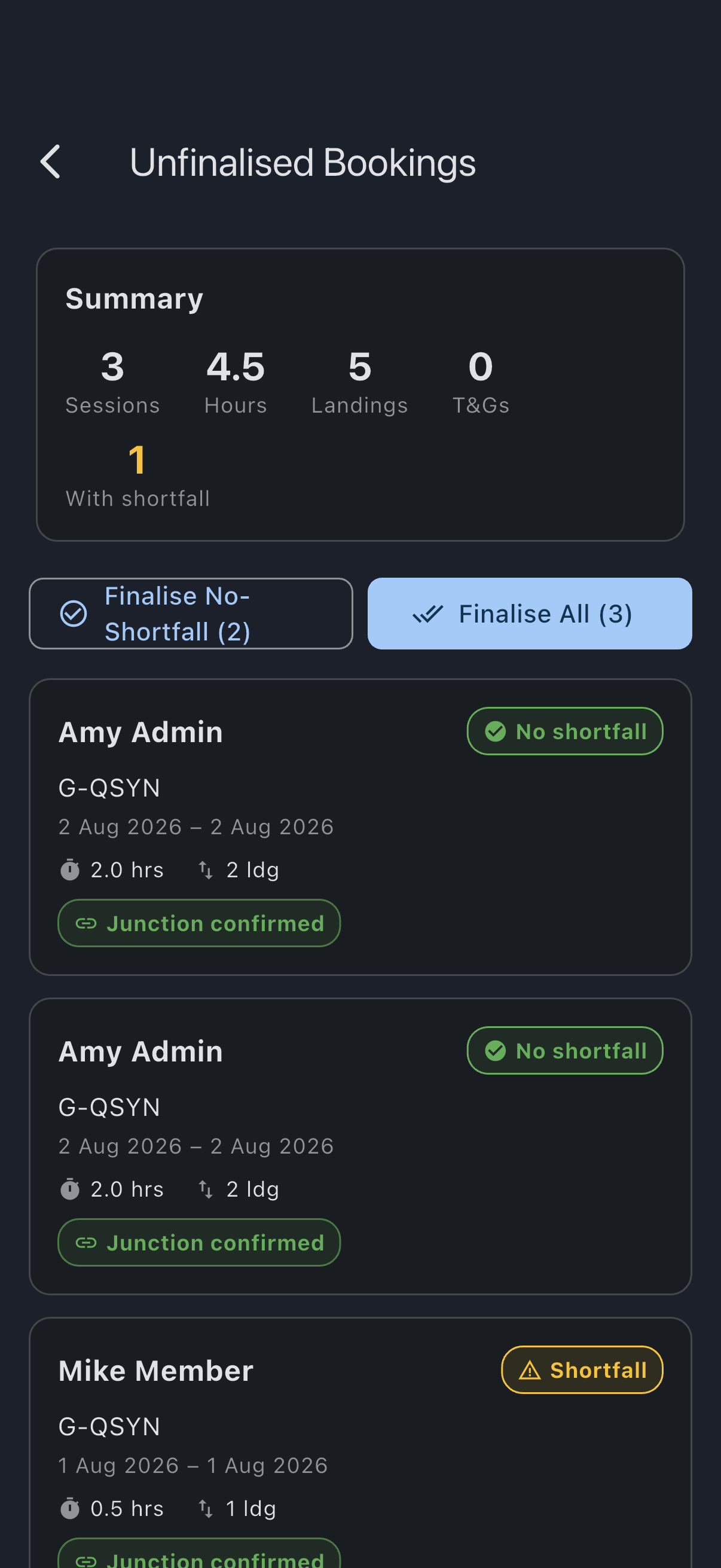
You see N bookings finalised. The finalised bookings drop off the queue; any bookings that failed to finalise stay in the queue for you to open individually.
Resolving the excluded rows
Section titled “Resolving the excluded rows”Junction conflict
Section titled “Junction conflict”This flight’s start reading disagrees with the previous flight’s end reading on the same asset. Tap the badge to jump to the previous flight, work out which side has the wrong reading (sometimes by talking to the pilots), edit the historical log to truth using the normal usage-log editor, and re-run bulk; the row reclassifies as Junction confirmed once the values agree. If the previous flight has already been finalised, correcting it goes through correct a finalised booking instead, which posts an adjustment rather than editing a locked charge. If you would rather not wait, finalise this booking individually with finalise a booking, since the manual path bypasses the continuity check.
Awaiting previous log
Section titled “Awaiting previous log”The previous pilot has not logged yet, so the junction cannot be confirmed. Bulk waits for them. If you need the booking finalised now (typical reason: month-end and the previous pilot is on holiday), finalise it individually with finalise a booking. The manual path bypasses the continuity check, on admin trust.
Nobody assigned
Section titled “Nobody assigned”The booking has no member on it. That happens when the person who booked it has since deleted their account: their bookings are emptied of an owner and otherwise left where they are.
Unlike the other two, this one is not a matter of admin trust and the individual path will not override it. Every charge finalisation raises goes on somebody’s balance, and there is nobody here to put it on; it would also be priced at the syndicate’s base rate rather than the member’s, because the rate comes from whose booking it is.
Assign the booking to a member and it finalises normally.
Offline behaviour
Section titled “Offline behaviour”The bulk Finalise No-Shortfall and Finalise All buttons watch connectivity, the same way single-booking finalisation does. When the device is offline both buttons disable and show Settlements need a connection. Try again when you’re online if you tap them. They re-enable automatically when the connection returns. Bulk finalisation cannot be queued; the underlying RPC writes to the financial ledger atomically per booking, and queueing it offline would risk a partial or double settlement.
If it goes wrong
Section titled “If it goes wrong”- Some bookings remain in the queue after a bulk action. Check the badge on each one. Junction conflict and Awaiting previous log are deliberate exclusions; the continuity check is doing its job. Resolve them per the section above.
- “Finalise All (0)” is greyed out. Every row in the queue is excluded by the continuity check. Either resolve the conflicts (or wait for the earlier logs) so rows reclassify to Junction confirmed, or finalise individual bookings using finalise a booking.
- The bulk buttons are disabled. Either there are no eligible bookings (the no-shortfall count is zero, or the queue is empty), or the device is offline. See Offline behaviour above.
- “All bookings finalised” empty state: the queue is clear; nothing to do.
- A bulk-finalised booking later turned out to have been wrong (typically the most-recent flight, whose end reading only gets a continuity check once the next flight happens). Use correct a finalised booking to edit the historical log and post an adjustment.
See also
Section titled “See also”- Finalisation rules: what bulk finalisation actually does per booking, and how each path handles a junction
- Tacho-continuity conflict: the meter-junction concept the continuity check enforces
- Unfinalised bookings queue: the admin view
- Finalise a booking: per-booking version with a shortfall waive option and continuity-bypass on admin trust
- Enable auto-finalisation: eager alternative for pay-as-you-go syndicates, using the same continuity check
- Correct a finalised booking: recovery when a finalised booking later turns out to have been wrong